Example of a Targeted Resume: 6 Tailored Resume Samples
By Mustafa Tarabya, founder of CVBooster · Published · Updated
12 min read
A targeted resume is a resume rewritten for one job posting: the title line uses the posting's job title, the summary answers its top three requirements, and the first bullet under each job proves one of them, in the posting's own words. The constraint is honesty, because you can reorder, cut and reword your experience, but you cannot add experience you do not have. CareerOneStop, the Department of Labor's career site, puts it plainly: "Describe your work experience using keywords from the job posting, especially terms the employer uses for required or desired skills and experience." Below are six complete examples of a targeted resume, checked in October 2026, each shown next to the posting it answers. Written by Mustafa Tarabya, who hired for his own company, read every application himself and now writes CVBooster's guides.
When I wrote job adverts, I knew exactly which four things I was looking for. Most resumes never mentioned any of them. They were good resumes. They were just answering a different advert, possibly one from 2019.
The first example is the most common targeted resume there is: someone from retail aiming at a bank teller posting.
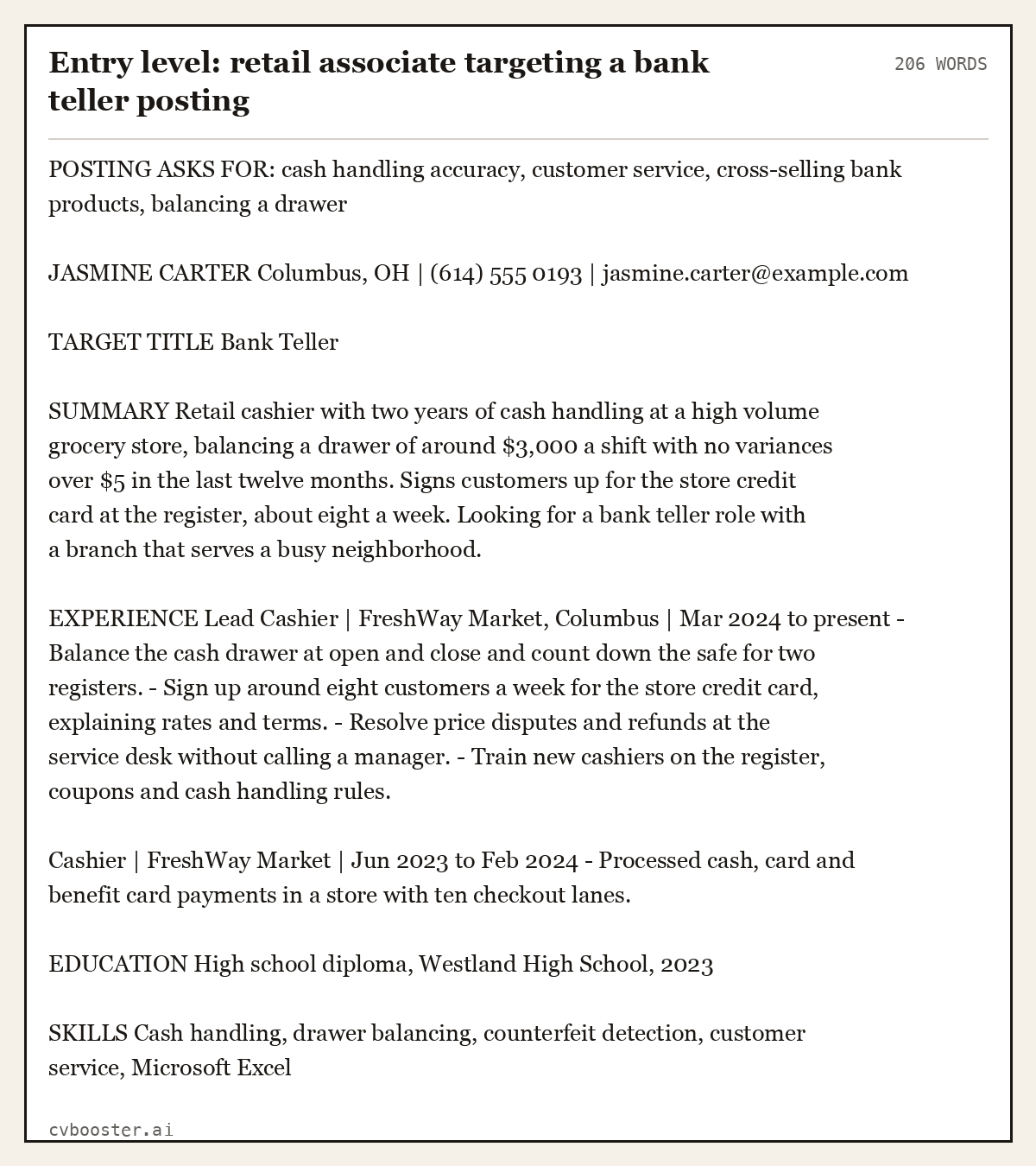
Entry level: retail associate targeting a bank teller posting (206 words)
POSTING ASKS FOR: cash handling accuracy, customer service, cross-selling bank products, balancing a drawer
JASMINE CARTER Columbus, OH | (614) 555 0193 | jasmine.carter@example.com
TARGET TITLE Bank Teller
SUMMARY Retail cashier with two years of cash handling at a high volume grocery store, balancing a drawer of around $3,000 a shift with no variances over $5 in the last twelve months. Signs customers up for the store credit card at the register, about eight a week. Looking for a bank teller role with a branch that serves a busy neighborhood.
EXPERIENCE Lead Cashier | FreshWay Market, Columbus | Mar 2024 to present - Balance the cash drawer at open and close and count down the safe for two registers. - Sign up around eight customers a week for the store credit card, explaining rates and terms. - Resolve price disputes and refunds at the service desk without calling a manager. - Train new cashiers on the register, coupons and cash handling rules.
Cashier | FreshWay Market | Jun 2023 to Feb 2024 - Processed cash, card and benefit card payments in a store with ten checkout lanes.
EDUCATION High school diploma, Westland High School, 2023
SKILLS Cash handling, drawer balancing, counterfeit detection, customer service, Microsoft Excel
Create my CV
Or start from one of our free resume templates
What makes a resume targeted, in three places
Nothing about a targeted resume is visible in the layout. It looks like any other resume. The difference is in three places a reader checks first, and in the example above every one of them points at the posting.
The title line. Jasmine is a cashier, and her resume says "Bank Teller" under her name. That is not a lie. It is the job she is applying for, and it tells the reader in one second which pile to put her in. Her actual job titles stay accurate in the experience section.
The summary. The posting asked for cash accuracy, customer service and cross-selling. The summary gives a drawer size and a variance record, then the credit card sign ups, which is cross-selling under another name. Three requirements, three sentences.
The first bullet under each job. Readers skim the first bullet and skip the rest. So the first bullet is the one that proves the posting's top requirement, even if it is not the thing you spent most hours on.
MIT's career office describes the same principle from the student side: "when applying for a job you want to build a resume that targets a specific position or employer." Keep a long master resume with everything you have done, and cut a targeted version from it for each application. That is the whole method. A targeted resume is not a different kind of resume. It is the master resume with everything irrelevant removed and everything relevant moved up.
How to tailor your resume to a job in five steps
This takes about fifteen minutes once your master resume exists. The first time takes longer.
- Copy the posting into a document and mark the requirements. Highlight every skill, tool, certification and duty. Put a star next to anything in the first third of the posting or listed as required.
- Write down the three starred requirements that matter most. These go in your summary, in the posting's own words.
- Change the title line to the posting's job title, exactly as written. "Customer Success Associate" and "Client Success Representative" are different searches in an applicant tracking system.
- Reorder the bullets under each job so the first one proves a starred requirement. Cut bullets that prove nothing the posting asks for.
- Rewrite your skills line using the posting's terms. If it says "Salesforce", do not write "CRM software". If you have never used something, leave it out.
Then read the resume as the employer. If someone saw only the title line, the summary and the first bullet of each job, would they know you can do the three things on your list? If yes, it is targeted.
Five more targeted resume examples
Each one shows the posting's main requirements first, then the resume written to answer them.
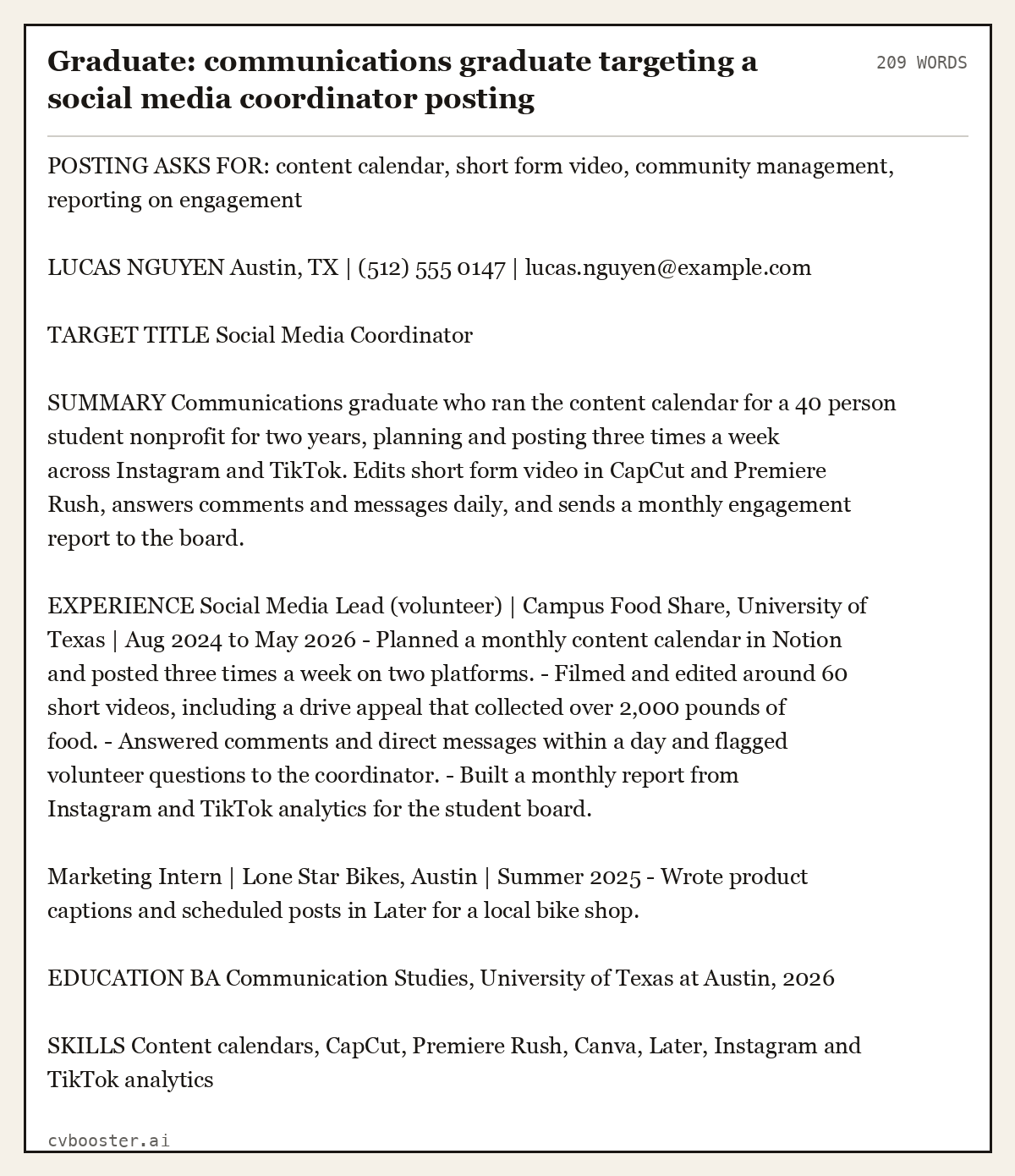
Graduate: communications graduate targeting a social media coordinator posting (209 words)
POSTING ASKS FOR: content calendar, short form video, community management, reporting on engagement
LUCAS NGUYEN Austin, TX | (512) 555 0147 | lucas.nguyen@example.com
TARGET TITLE Social Media Coordinator
SUMMARY Communications graduate who ran the content calendar for a 40 person student nonprofit for two years, planning and posting three times a week across Instagram and TikTok. Edits short form video in CapCut and Premiere Rush, answers comments and messages daily, and sends a monthly engagement report to the board.
EXPERIENCE Social Media Lead (volunteer) | Campus Food Share, University of Texas | Aug 2024 to May 2026 - Planned a monthly content calendar in Notion and posted three times a week on two platforms. - Filmed and edited around 60 short videos, including a drive appeal that collected over 2,000 pounds of food. - Answered comments and direct messages within a day and flagged volunteer questions to the coordinator. - Built a monthly report from Instagram and TikTok analytics for the student board.
Marketing Intern | Lone Star Bikes, Austin | Summer 2025 - Wrote product captions and scheduled posts in Later for a local bike shop.
EDUCATION BA Communication Studies, University of Texas at Austin, 2026
SKILLS Content calendars, CapCut, Premiere Rush, Canva, Later, Instagram and TikTok analytics
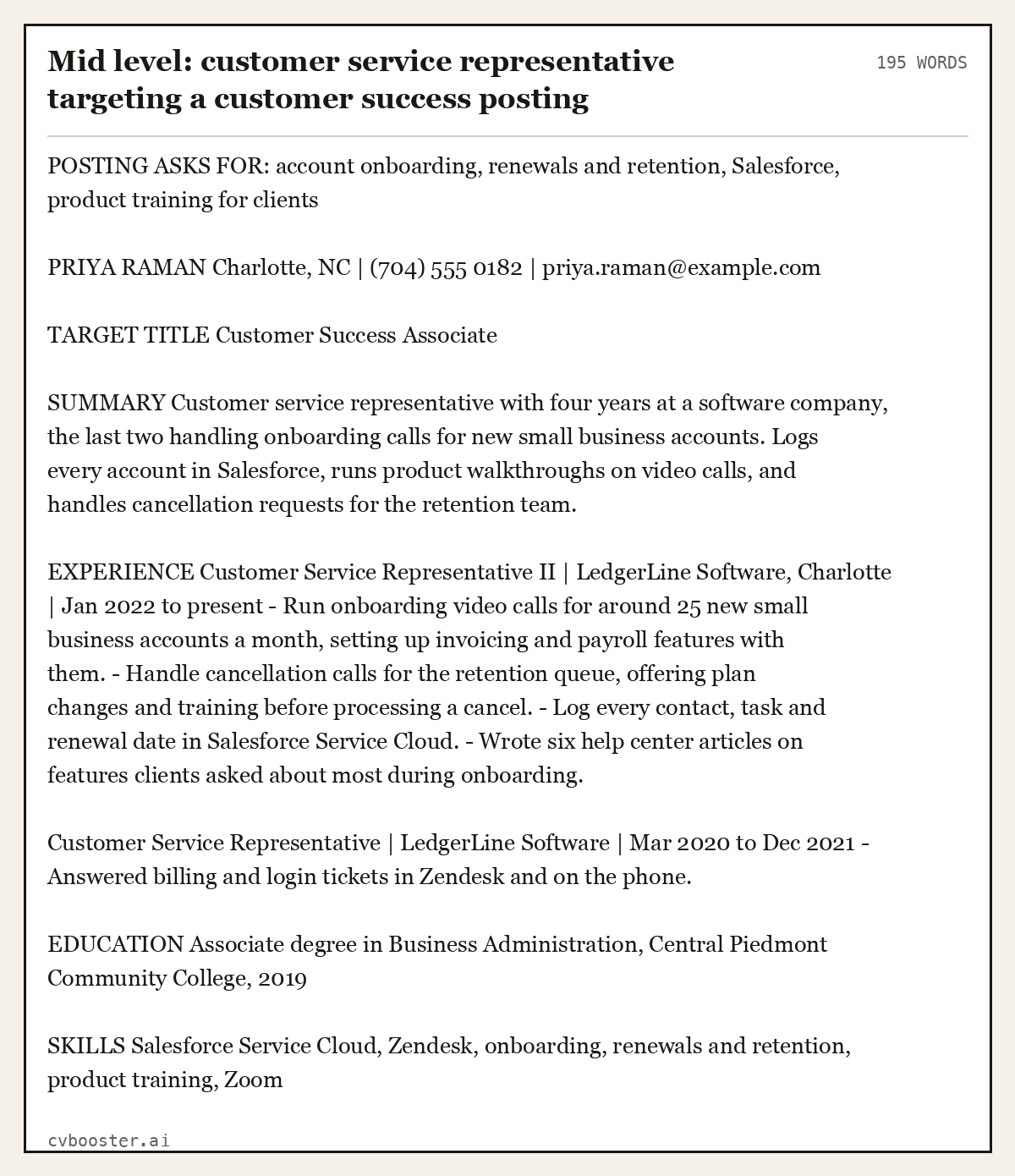
Mid level: customer service representative targeting a customer success posting (195 words)
POSTING ASKS FOR: account onboarding, renewals and retention, Salesforce, product training for clients
PRIYA RAMAN Charlotte, NC | (704) 555 0182 | priya.raman@example.com
TARGET TITLE Customer Success Associate
SUMMARY Customer service representative with four years at a software company, the last two handling onboarding calls for new small business accounts. Logs every account in Salesforce, runs product walkthroughs on video calls, and handles cancellation requests for the retention team.
EXPERIENCE Customer Service Representative II | LedgerLine Software, Charlotte | Jan 2022 to present - Run onboarding video calls for around 25 new small business accounts a month, setting up invoicing and payroll features with them. - Handle cancellation calls for the retention queue, offering plan changes and training before processing a cancel. - Log every contact, task and renewal date in Salesforce Service Cloud. - Wrote six help center articles on features clients asked about most during onboarding.
Customer Service Representative | LedgerLine Software | Mar 2020 to Dec 2021 - Answered billing and login tickets in Zendesk and on the phone.
EDUCATION Associate degree in Business Administration, Central Piedmont Community College, 2019
SKILLS Salesforce Service Cloud, Zendesk, onboarding, renewals and retention, product training, Zoom
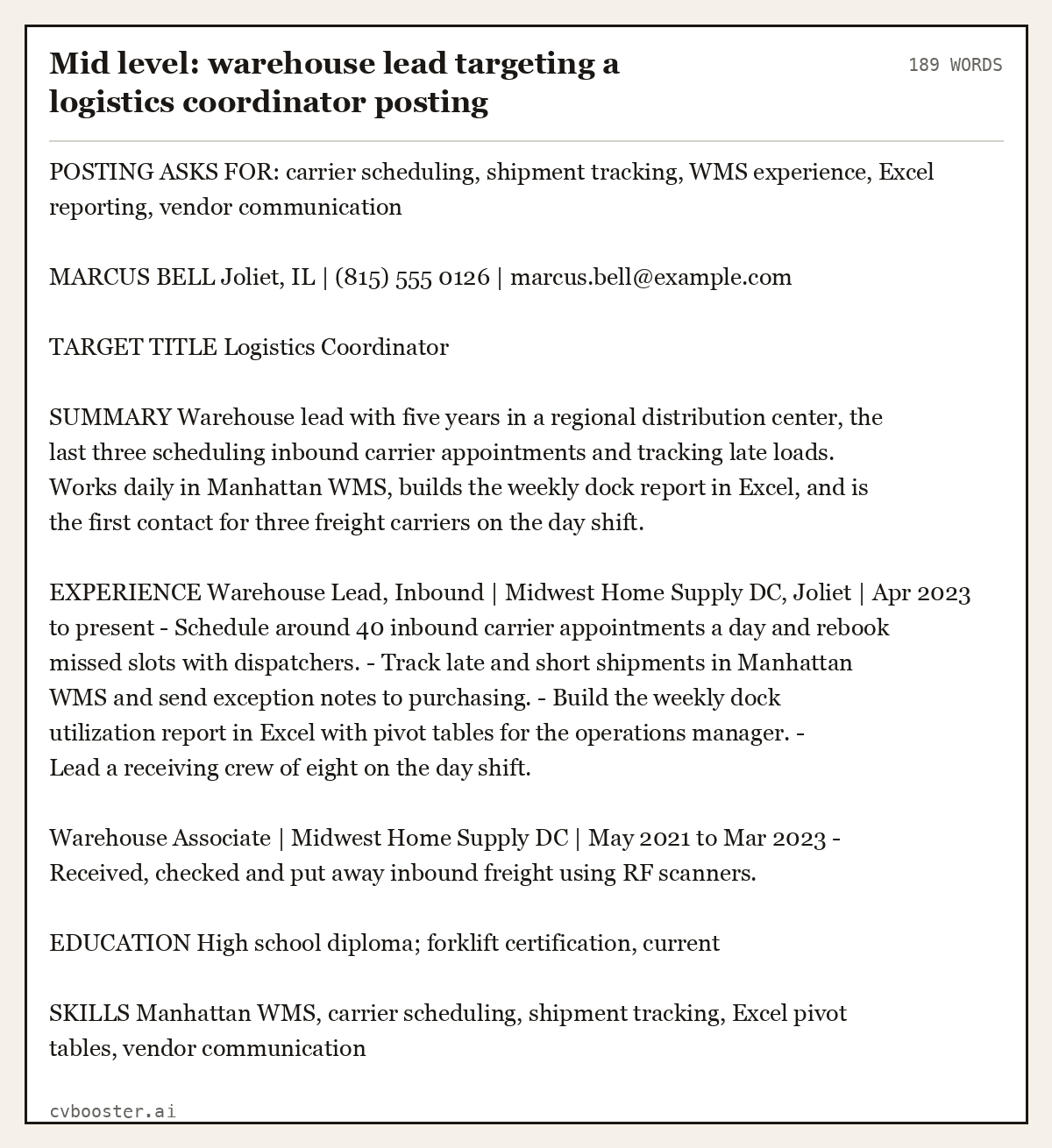
Mid level: warehouse lead targeting a logistics coordinator posting (189 words)
POSTING ASKS FOR: carrier scheduling, shipment tracking, WMS experience, Excel reporting, vendor communication
MARCUS BELL Joliet, IL | (815) 555 0126 | marcus.bell@example.com
TARGET TITLE Logistics Coordinator
SUMMARY Warehouse lead with five years in a regional distribution center, the last three scheduling inbound carrier appointments and tracking late loads. Works daily in Manhattan WMS, builds the weekly dock report in Excel, and is the first contact for three freight carriers on the day shift.
EXPERIENCE Warehouse Lead, Inbound | Midwest Home Supply DC, Joliet | Apr 2023 to present - Schedule around 40 inbound carrier appointments a day and rebook missed slots with dispatchers. - Track late and short shipments in Manhattan WMS and send exception notes to purchasing. - Build the weekly dock utilization report in Excel with pivot tables for the operations manager. - Lead a receiving crew of eight on the day shift.
Warehouse Associate | Midwest Home Supply DC | May 2021 to Mar 2023 - Received, checked and put away inbound freight using RF scanners.
EDUCATION High school diploma; forklift certification, current
SKILLS Manhattan WMS, carrier scheduling, shipment tracking, Excel pivot tables, vendor communication
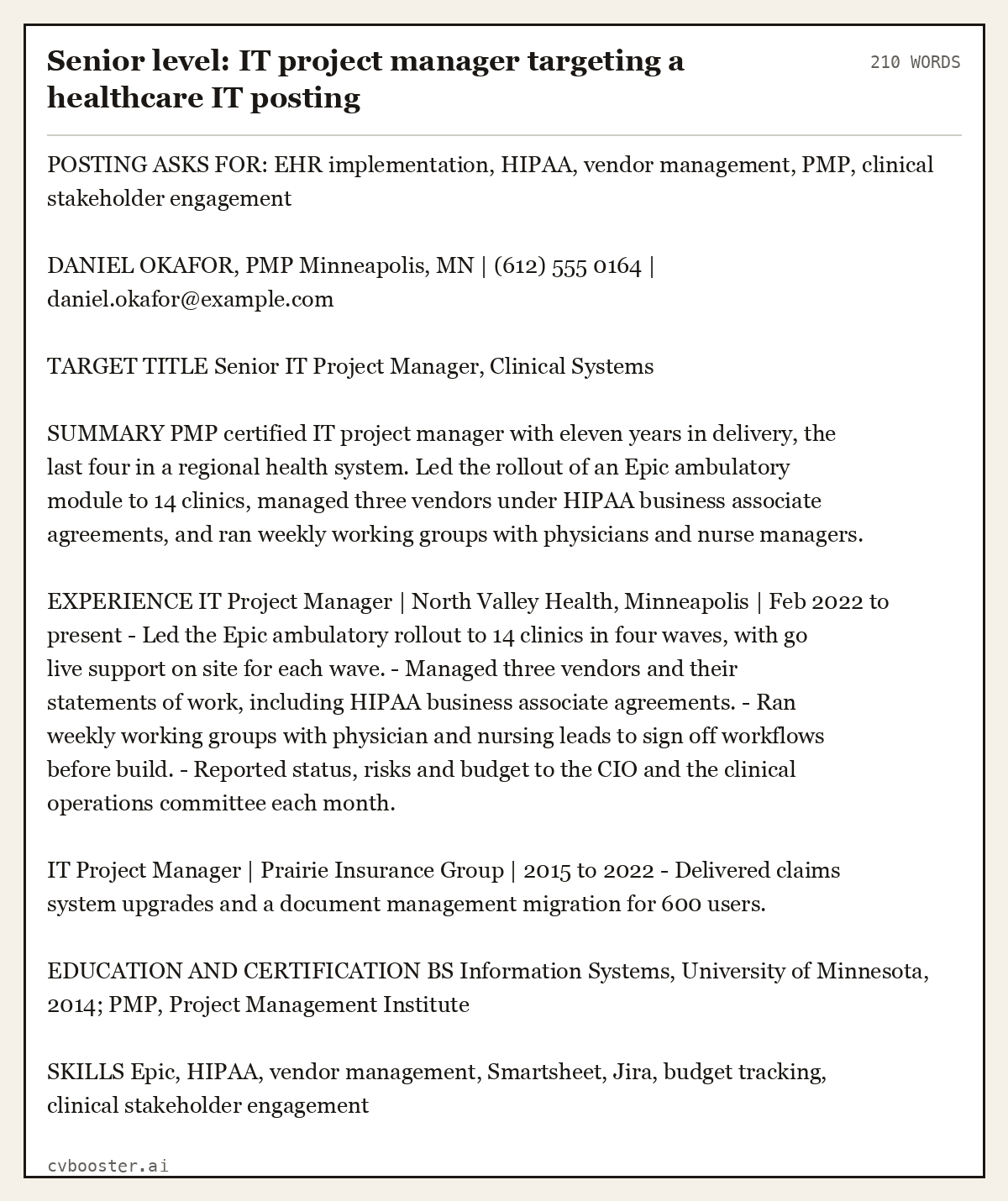
Senior level: IT project manager targeting a healthcare IT posting (210 words)
POSTING ASKS FOR: EHR implementation, HIPAA, vendor management, PMP, clinical stakeholder engagement
DANIEL OKAFOR, PMP Minneapolis, MN | (612) 555 0164 | daniel.okafor@example.com
TARGET TITLE Senior IT Project Manager, Clinical Systems
SUMMARY PMP certified IT project manager with eleven years in delivery, the last four in a regional health system. Led the rollout of an Epic ambulatory module to 14 clinics, managed three vendors under HIPAA business associate agreements, and ran weekly working groups with physicians and nurse managers.
EXPERIENCE IT Project Manager | North Valley Health, Minneapolis | Feb 2022 to present - Led the Epic ambulatory rollout to 14 clinics in four waves, with go live support on site for each wave. - Managed three vendors and their statements of work, including HIPAA business associate agreements. - Ran weekly working groups with physician and nursing leads to sign off workflows before build. - Reported status, risks and budget to the CIO and the clinical operations committee each month.
IT Project Manager | Prairie Insurance Group | 2015 to 2022 - Delivered claims system upgrades and a document management migration for 600 users.
EDUCATION AND CERTIFICATION BS Information Systems, University of Minnesota, 2014; PMP, Project Management Institute
SKILLS Epic, HIPAA, vendor management, Smartsheet, Jira, budget tracking, clinical stakeholder engagement
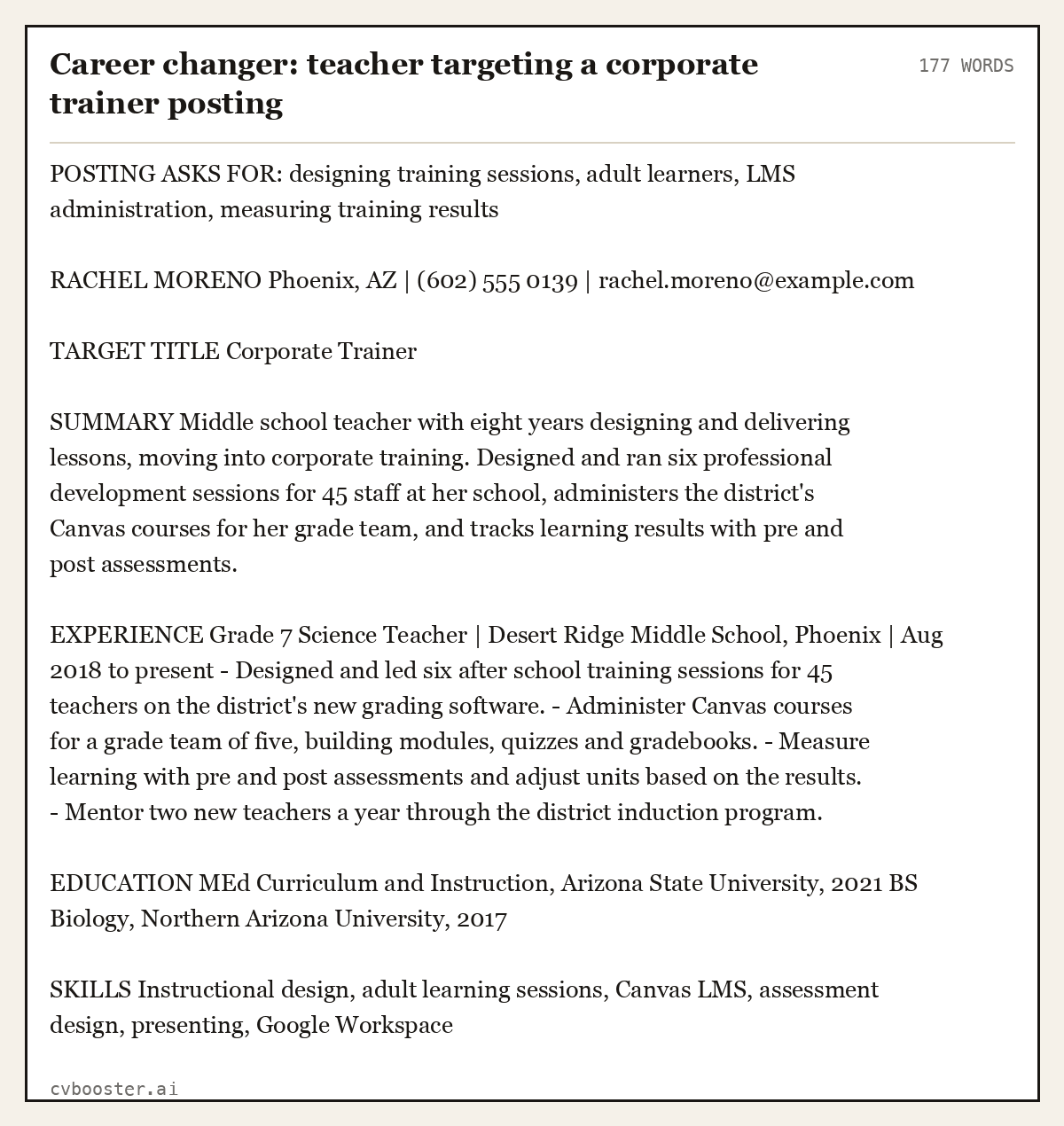
Career changer: teacher targeting a corporate trainer posting (177 words)
POSTING ASKS FOR: designing training sessions, adult learners, LMS administration, measuring training results
RACHEL MORENO Phoenix, AZ | (602) 555 0139 | rachel.moreno@example.com
TARGET TITLE Corporate Trainer
SUMMARY Middle school teacher with eight years designing and delivering lessons, moving into corporate training. Designed and ran six professional development sessions for 45 staff at her school, administers the district's Canvas courses for her grade team, and tracks learning results with pre and post assessments.
EXPERIENCE Grade 7 Science Teacher | Desert Ridge Middle School, Phoenix | Aug 2018 to present - Designed and led six after school training sessions for 45 teachers on the district's new grading software. - Administer Canvas courses for a grade team of five, building modules, quizzes and gradebooks. - Measure learning with pre and post assessments and adjust units based on the results. - Mentor two new teachers a year through the district induction program.
EDUCATION MEd Curriculum and Instruction, Arizona State University, 2021 BS Biology, Northern Arizona University, 2017
SKILLS Instructional design, adult learning sessions, Canvas LMS, assessment design, presenting, Google Workspace
Targeted resume vs general resume
A general resume describes you. A targeted resume answers one advert. The general one is still useful: it is your master file, and it is what you hand someone at a networking event when there is no posting to answer. But anything you upload to a job application should be the targeted version.
The difference in effort is smaller than it sounds. In the examples above, nobody invented a skill. Jasmine already signed people up for a credit card; she called it cross-selling because the bank did. Rachel already trained 45 teachers; she called them adult learners because the trainer posting did. Tailoring is mostly choosing which true thing goes first and naming it the way the employer names it.
Length does not change either. CareerOneStop's formatting advice holds for targeted resumes too: "Resume length should be 1-2 pages. Only use 2 pages if necessary due to your amount of experience." Targeting usually makes a resume shorter, because the bullets that answer nothing get cut. For more on page counts, see how long a resume should be. Applying in the UK, where the document is a CV, the 1 page CV examples show the same cut on one side of A4.
Keywords: match the posting without stuffing it
Applicant tracking systems search for the employer's terms, and so do recruiters typing into them. MIT's guidance is direct: "Employers may use keyword scanning on resumes, so know what words are relevant to the industry and position and ensure they appear in your resume."
Put each keyword where it is true: the tool in your skills line, the duty in a bullet that shows you doing it. Do not paste the posting at the bottom in small print. CareerOneStop rules that out in plain words: "Putting extra keywords in a white font on your resume will not" get past the software, and a recruiter who notices it stops reading. The guide to ATS keywords from real job ads shows where keywords count, and the resume summary examples show how to fit three requirements into three sentences. The same method works for a UK CV, as the marketing CV examples show for six marketing roles.
A free shortcut: paste the posting and your resume into the CVBooster checker. The score and the gap list are free, and the gap list tells you which of the posting's terms your resume never mentions.
If you use an AI chat tool for the first draft of a tailored version, our ChatGPT resume prompts page shows which prompts keep the facts true.
If you would rather pay for the letter than write it, cover letter writing service explains when that is worth it.
Frequently asked questions
What is an example of a targeted resume?
A targeted resume uses the posting's job title under your name, answers the posting's top three requirements in the summary, and puts the bullet that proves each requirement first under each job. The six examples on this page each show the posting's requirements above the resume, so you can see which line answers which requirement.
How do I tailor my resume to a job description?
Highlight every skill, tool and duty in the job description, pick the three that matter most, and put them in your summary in the posting's words. Change your title line to the posting's job title, reorder the bullets so the first proves a requirement, and rewrite your skills line with the employer's terms.
Is a tailored resume the same as a targeted resume?
Yes. Tailored, targeted and customized resume all describe the same thing: one resume rewritten for one job posting. Some career centers use targeted, most job sites use tailored. The method is identical, and so is the result: a resume whose first lines answer the advert in front of the reader.
Do I need a new resume for every job application?
You need a new version, not a new resume. Keep one master resume with everything, and spend ten to fifteen minutes cutting a targeted version for each posting: new title line, new summary, reordered bullets, adjusted skills. Two postings for the same job title at similar employers can often share one version.
Can I add skills from the posting that I do not have?
No. Reword what you have done in the employer's terms, but never claim a tool or task you have not used. Interviewers ask about the posting's requirements first, and an invented skill is usually exposed in the first question. If a requirement is missing, mention what you are doing to close it instead.
What is a target resume example?
A target resume example is a resume rewritten for one posting, the same thing as a targeted resume: the posting's title in your header, its top three requirements answered in the summary, and its words in your first bullets. If you meant a resume for a store team member job at the retailer Target, the method is identical; start from the retail example above.
Related articles
- Skills to Put on a Resume (and What to Cut)
- How to List Skills on a Resume (With 50+ Examples)
- 10 ATS Resume Tips That Actually Work
- Academic CV Examples: 6 Full CVs for PhD, Postdoc, Faculty
More articles
- Teacher Interview Questions and 12 Full Answers (US)
- Teaching Interview Questions and 15 Full STAR Answers
- Teacher Resume: Objective Examples, Certification, Evidence
Looking for a worked example for your job title? Browse the resume examples by job title.