Administrative Assistant Resume Examples: free ATS score
Administrative Assistant Resume Template and Admin Examples
By Mustafa Tarabya, founder of CVBooster · Published · Updated
An admin assistant resume template with the section order screeners expect, calendar, travel and systems keywords, and real sample bullets.
Sample resumes for a administrative assistant
The same administrative assistant content laid out in three CVBooster templates, so you can see what the finished document looks like before you write a word.
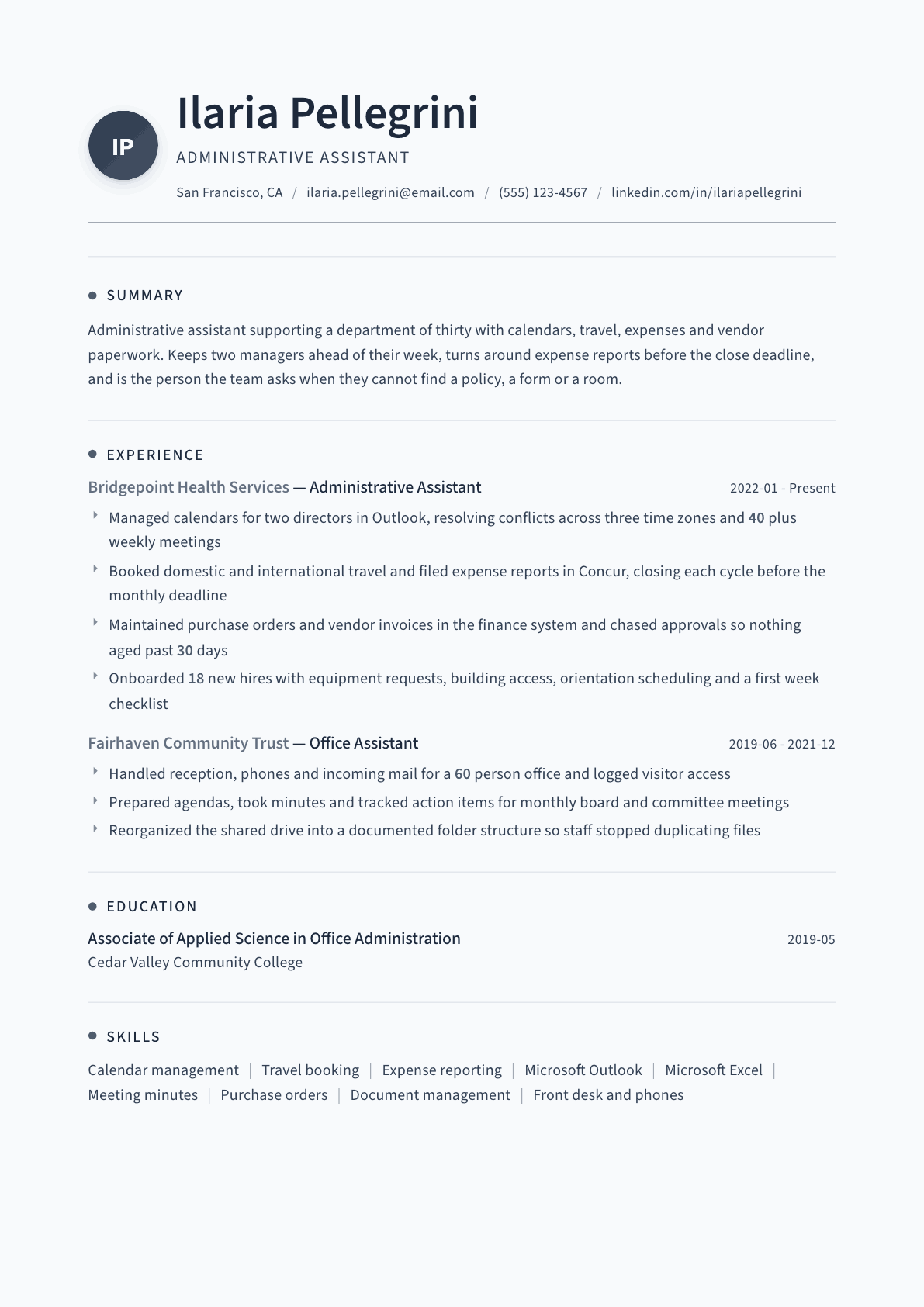
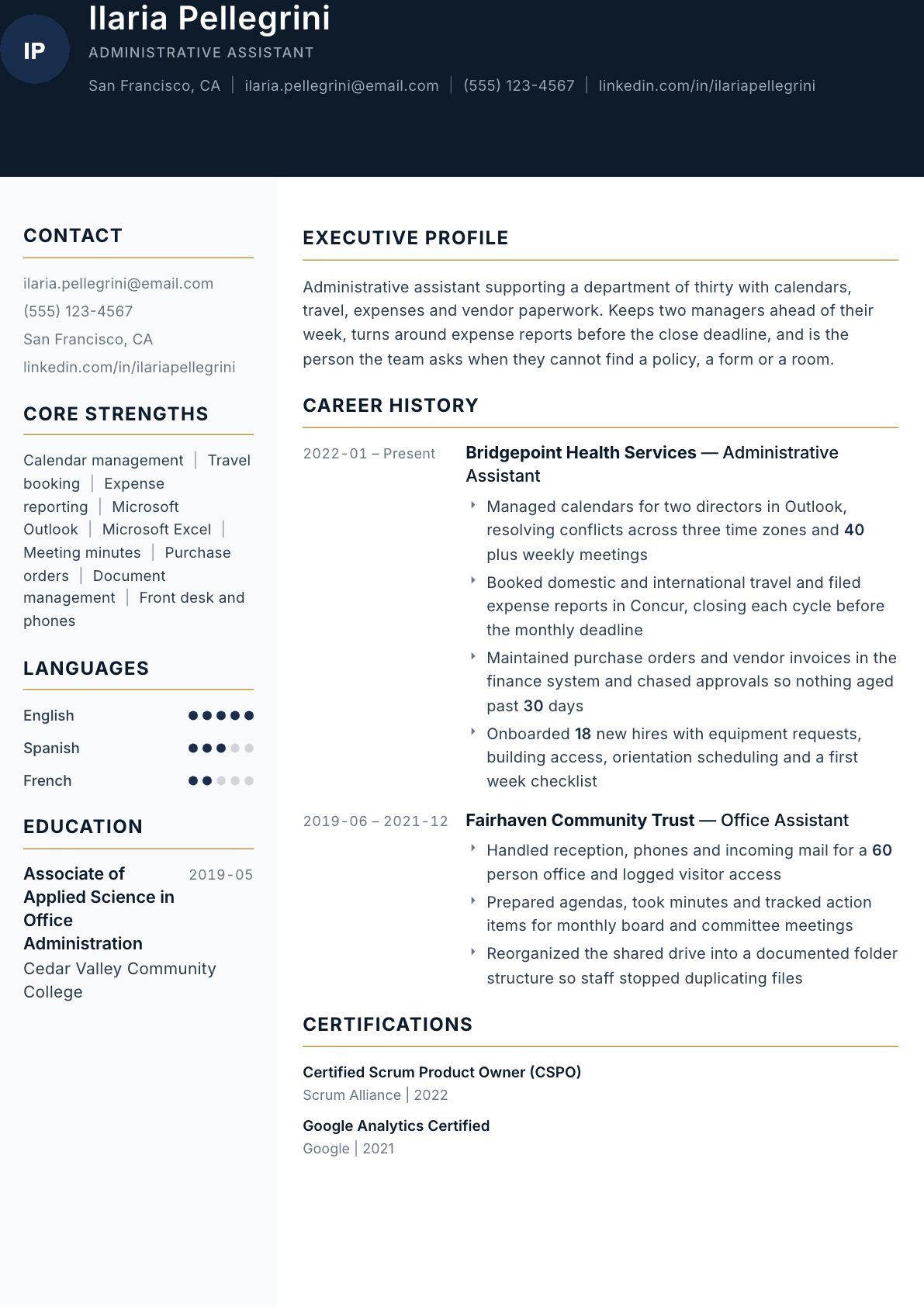
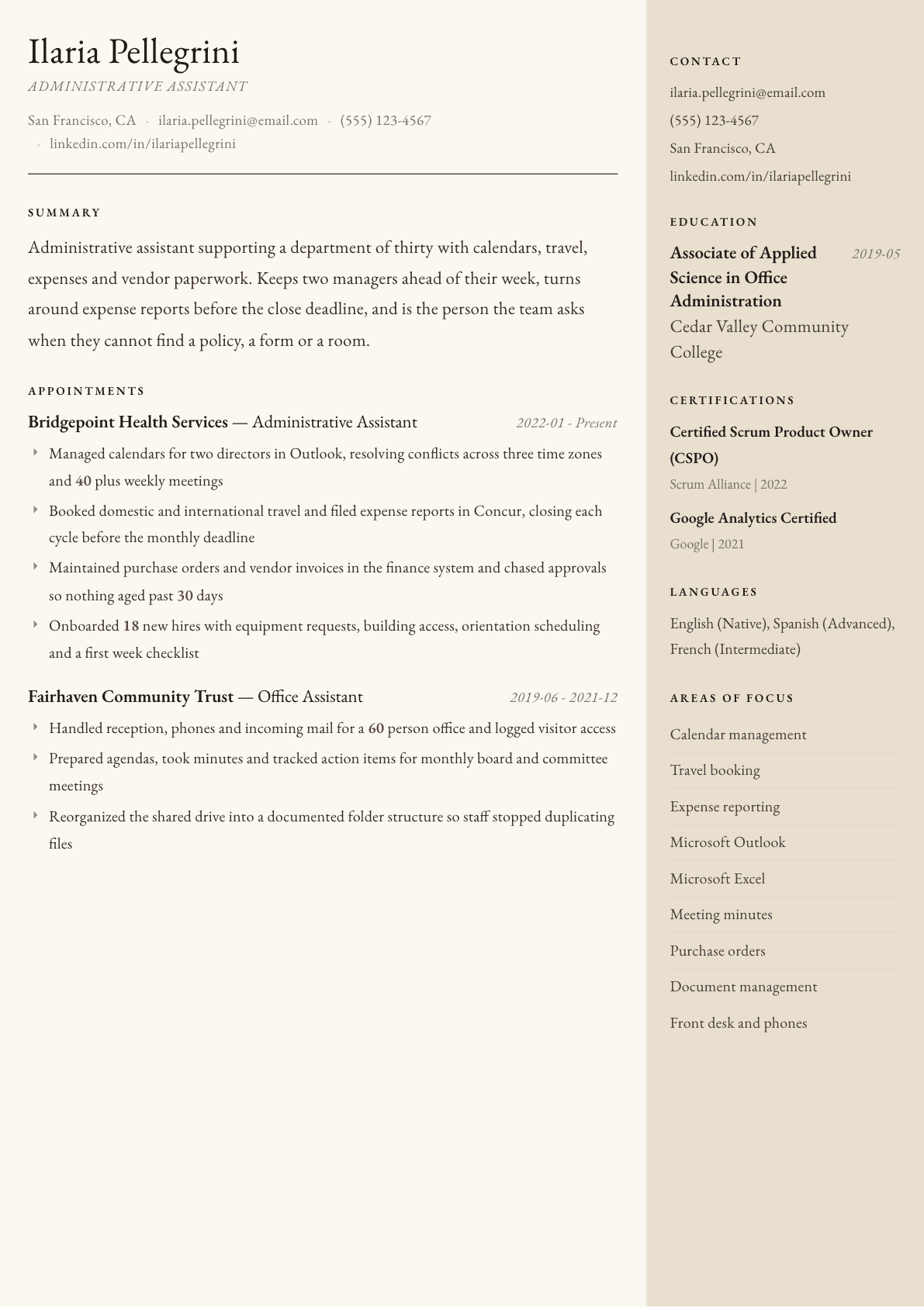
Example Administrative Assistant summary
Administrative assistant with four years supporting directors and a department of thirty. Runs complex calendars across time zones, books travel and closes expense cycles on deadline, and keeps purchase orders and vendor invoices moving through approval. Known for building the checklists and folder structures that let a team find what it needs without asking twice.
Skills to list on a Administrative Assistant resume
- Calendar and diary management
- Travel coordination
- Expense reporting
- Meeting agendas and minutes
- Microsoft Outlook
- Microsoft Excel
- Microsoft Word and PowerPoint
- Google Workspace
- Purchase orders and invoicing
- Vendor coordination
- Document and records management
- Front desk and phone handling
- Onboarding support
- Data entry and accuracy
- Event and meeting logistics
What actually gets this resume read
- Say how many people and how many managers you support, because scope is the first thing a hiring manager checks.
- Name the exact systems you work in: Outlook, Google Workspace, Concur, SAP, Workday, whichever ones apply.
- Turn routine duties into volume: meetings scheduled weekly, trips booked, invoices processed, reports filed.
- Show one process you improved, such as a filing structure, an onboarding checklist or a recurring report.
- Put confidentiality and discretion into a concrete example rather than claiming it as a personality trait.
- Keep the resume to one page unless you have more than ten years, and lead each job with the support scope.
How to write a administrative assistant resume
Administrative assistant postings attract more applications than almost any other office role, so the screen is fast and mechanical. A recruiter is looking for three things in the first pass: how many people and how many managers you support, which systems you actually work inside, and whether your bullets contain any volume at all. A resume built from duty statements loses to one built from numbers before a human ever weighs the candidates.
The second problem is that everyone claims the same qualities. Organized, detail oriented, great communicator. Those words appear on nearly every resume in the pile and therefore carry no information. What carries information is that you cleared an expense cycle before the monthly close, chased approvals so no invoice aged past thirty days, or rebuilt a shared drive so a team stopped duplicating files.
If you came looking for an admin assistant resume template, the first section below gives you the order to copy, filled in with a sample. This guide walks through the sections in the order a hiring manager reads them, with summaries for a first office job, a settled assistant and someone ready for senior support, before and after bullets, the skills to list and where each one belongs, and the questions administrative assistants ask most when they update a resume after several years in one place.
Format: one page, plain, parser friendly
One page unless you have more than ten years, reverse chronological, single column, standard fonts and normal margins. Administrative postings are volume roles and most of them run through an applicant tracking system that reads two column layouts out of order and loses the dates.
Give each job a scope line before the bullets: the size of the team or department you supported, how many managers, and the setting. Supporting two directors and a department of thirty in a health services organization is a sentence a reader can price immediately.
An admin assistant resume template, filled in, runs in this order: name and contact line, a three line summary naming who you support, a systems line, experience with a number in every bullet, then education and any certification. Written out, one job block reads: Office and Executive Assistant, Harlow Freight, Columbus, three years. Supports 2 directors and a sales team of 14, manages 3 calendars, books about 10 trips a month and closes expense reports in Concur before the monthly deadline. Copy the order and the shape, then fill it with your own numbers.
- Header: name, city and state, phone, professional email address.
- Sections in this order: summary, experience with scope lines, systems and software, education.
- Career changers add a short skills summary above experience mapping past duties to office work.
Summary: who you support and what runs through you
Two or three lines. Name the support scope, the years, the core responsibilities and one habit worth remembering. Keeping two managers ahead of their week and closing every expense cycle before the deadline says more than a paragraph about being highly organized.
Adjust the emphasis for the posting. A role heavy on scheduling and travel wants calendar complexity and time zones. A role attached to a finance team wants purchase orders, invoices and approval chasing. The facts do not change; the order does.
Experience: turn duties into volume and outcomes
Every administrative duty has a number attached to it somewhere. Meetings scheduled a week, trips booked a year, invoices processed a month, new hires onboarded, reports filed per cycle. Find those numbers before you write, because a bullet with a volume in it is instantly more credible than the same bullet without one.
Include the harder edges of the job that generic resumes skip. Resolving calendar conflicts across time zones, triaging a manager inbox while they are traveling, chasing an approval through three people who are all traveling, and rebuilding a filing structure that had grown into duplicates. These are the tasks that actually consume the week.
Show one process you improved in each job. An onboarding checklist, a documented folder structure, a recurring report you automated with formulas, a standing agenda template. Improvement bullets are what separate an assistant who executes from one who can be handed a mess.
Systems: name every one you have used
Be exact and be complete: Microsoft Outlook, Excel, Word and PowerPoint, Google Workspace, a travel and expense platform such as Concur, an enterprise system such as SAP or Workday, and whichever ticketing, document management or visitor system your office ran. Screeners filter on these names, and a missing one can end a candidacy that would otherwise have worked.
Say what you did inside the tool rather than listing it bare. Building a tracker in Excel with lookups, running mail merges in Word, managing shared calendars and delegated inboxes in Outlook, and reconciling receipts in an expense platform are all more useful than the word proficient.
Skills for an administrative assistant resume: which to list and where
The skills for a resume for an administrative assistant fall into three groups, and each belongs in a different place. Software skills go in a named list near the top, because screeners filter on them. Office process skills go into bullets with a volume attached. Interpersonal skills are never listed at all; they are shown through what you did.
Pick eight to twelve for the skills section and take them from the posting first. If the ad says Concur, data entry and travel coordination, those exact words should appear in the list and again inside one bullet each.
- Software: Outlook, Excel (lookups, pivot tables), Word mail merge, PowerPoint, Google Workspace, Concur, SAP or Workday, Zoom and Teams.
- Office processes: calendar management across time zones, travel booking, expense reporting, purchase orders and invoices, minutes and action tracking, records management.
- Front office: phones and reception, visitor logging, mail and courier, room and catering bookings.
- Shown in bullets, not listed: discretion, prioritizing, written communication, anticipating needs.
Confidentiality and judgment: show it, do not claim it
Discretion is a requirement in every administrative posting and a claim on every administrative resume, which cancels it out. Replace the claim with a concrete example: handling personnel paperwork with human resources, preparing material for a leadership meeting before it was announced, or managing a delegated inbox that carried compensation discussions.
The same applies to communication. Instead of calling yourself a strong communicator, show the artifact: minutes with tracked action items and owners, a weekly team update you wrote, or the first week checklist you sent to every new hire.
Administrative Assistant resume summary examples
First office role
Administrative assistant with one year in a 60 person nonprofit office covering reception, phones, mail and visitor logging. Prepares agendas, takes minutes and tracks action items for monthly committee meetings. Confident in Outlook, Excel and Google Workspace, and studying toward an office administration associate degree.
Four years in
Administrative assistant supporting two directors and a department of thirty. Manages 40 plus weekly meetings across three time zones in Outlook, books domestic and international travel, and closes expense cycles in Concur before the monthly deadline. Onboarded 18 new hires with equipment, access and orientation scheduling.
Ready for senior support
Administrative assistant with seven years supporting directors in health services and community organizations. Owns complex calendars, travel and expense cycles, keeps purchase orders and vendor invoices moving through approval, and has built the onboarding checklists and folder structures two departments now run on.
Work experience bullets: before and after
Before: Managed calendars for senior staff.
After: Managed calendars for two directors in Outlook, resolving conflicts across three time zones and scheduling 40 plus meetings a week including external partners.
Manager count, tool, time zones and weekly volume let a reader judge the complexity that senior staff alone hides.
Before: Booked travel and submitted expenses.
After: Booked domestic and international travel with visa lead times factored in, and filed expense reports in Concur so every cycle closed before the monthly finance deadline.
Naming the platform, the planning detail and the deadline held turns a routine duty into reliability evidence.
Before: Processed invoices and purchase orders.
After: Maintained purchase orders and vendor invoices in the finance system and chased approvals through traveling managers so nothing aged past 30 days.
The chasing and the aging threshold show ownership of an outcome instead of participation in a process.
Before: Helped with new employee onboarding.
After: Onboarded 18 new hires with equipment requests, building access, orientation scheduling and a first week checklist each manager received in advance.
A number plus the four concrete steps demonstrates a repeatable process rather than occasional help.
Before: Organized files and documents.
After: Reorganized a shared drive into a documented folder structure with naming conventions, ending the duplicate file versions staff had been creating.
Stating the problem solved makes an ordinary tidying task read as a process improvement.
Hard skills
- Calendar and diary management
- Travel coordination
- Expense reporting
- Meeting agendas and minutes
- Microsoft Outlook
- Microsoft Excel
- Microsoft Word and PowerPoint
- Google Workspace
- Purchase orders and invoicing
- Vendor coordination
- Document and records management
- Front desk and phone handling
- Onboarding support
- Data entry accuracy
Soft skills
- Discretion with confidential material
- Prioritizing competing requests
- Clear written communication
- Anticipating what a manager needs next
- Working with interruptions
- Following through without reminders
Certifications worth listing
- Certified Administrative Professional (CAP) (International Association of Administrative Professionals)
- Microsoft Office Specialist (Microsoft)
Mistakes that cost administrative assistant candidates the interview
- Listing duties copied from the old job description instead of the volumes and outcomes attached to them.
- Opening with organized, detail oriented and hardworking, three phrases that appear on nearly every competing resume.
- Leaving out the systems by name, when screeners filter directly on Outlook, Concur, SAP and Workday.
- Failing to say how many people and how many managers you support, which is the first thing a reader checks.
- Using a decorative two column template with icons that office parsers scramble and dates get lost inside.
- Never showing a process you improved, which keeps you looking like a task taker rather than an owner.
Administrative Assistant resume questions
Is there an admin assistant resume template I can copy?
Yes, and the safest one is plain: a single column, standard headings such as Summary, Systems, Experience and Education, no tables or text boxes, and dates on the right of each job. What makes a template work is the slots, not the design: who you support, which systems you use and a number in each bullet. Keep it to one page unless you have well over ten years of support roles.
What if my administrative work has no numbers attached?
It does, you just have not counted it yet. Estimate honestly from your calendar and inbox: meetings a week, trips a quarter, invoices a month, staff supported, systems maintained. Use ranges rather than invented precision and be ready to explain them.
Should I include a skills section or put skills in the bullets?
Both, for different readers. The skills section gives the applicant tracking system the software names it filters on, while the bullets show a hiring manager what you did inside those systems. Keep soft skills out of the list and demonstrate them instead.
How do I write this resume when moving from retail or hospitality?
Lead with the office adjacent work you already did: scheduling, cash and invoice handling, supplier calls, records, complaint resolution and rota building. Add a short skills summary at the top mapping those to administrative tasks, and name any office software you have used.
What skills should I put on an administrative assistant resume?
The software the posting names, such as Outlook, Excel, Google Workspace and Concur, plus office processes like calendar management, travel coordination, expense reporting and invoice handling. Choose eight to twelve, match the posting wording, and prove each one in a bullet. Leave words like organized out of the list.
Related resume examples
- Executive Assistant Resume example
- Office Manager Resume example
- Office Assistant Resume example
- Senior Administrative Assistant Resume example
- Administrative Specialist Resume example
- Team Assistant Resume example