IT Intern Resume Examples: free ATS score and gap list
Write an IT Intern Resume That Gets a First Interview
By Mustafa Tarabya, founder of CVBooster · Published · Updated
An IT intern resume example built from coursework, help desk work and home lab projects, with keywords and a section by section writing guide.
Sample resumes for a it intern
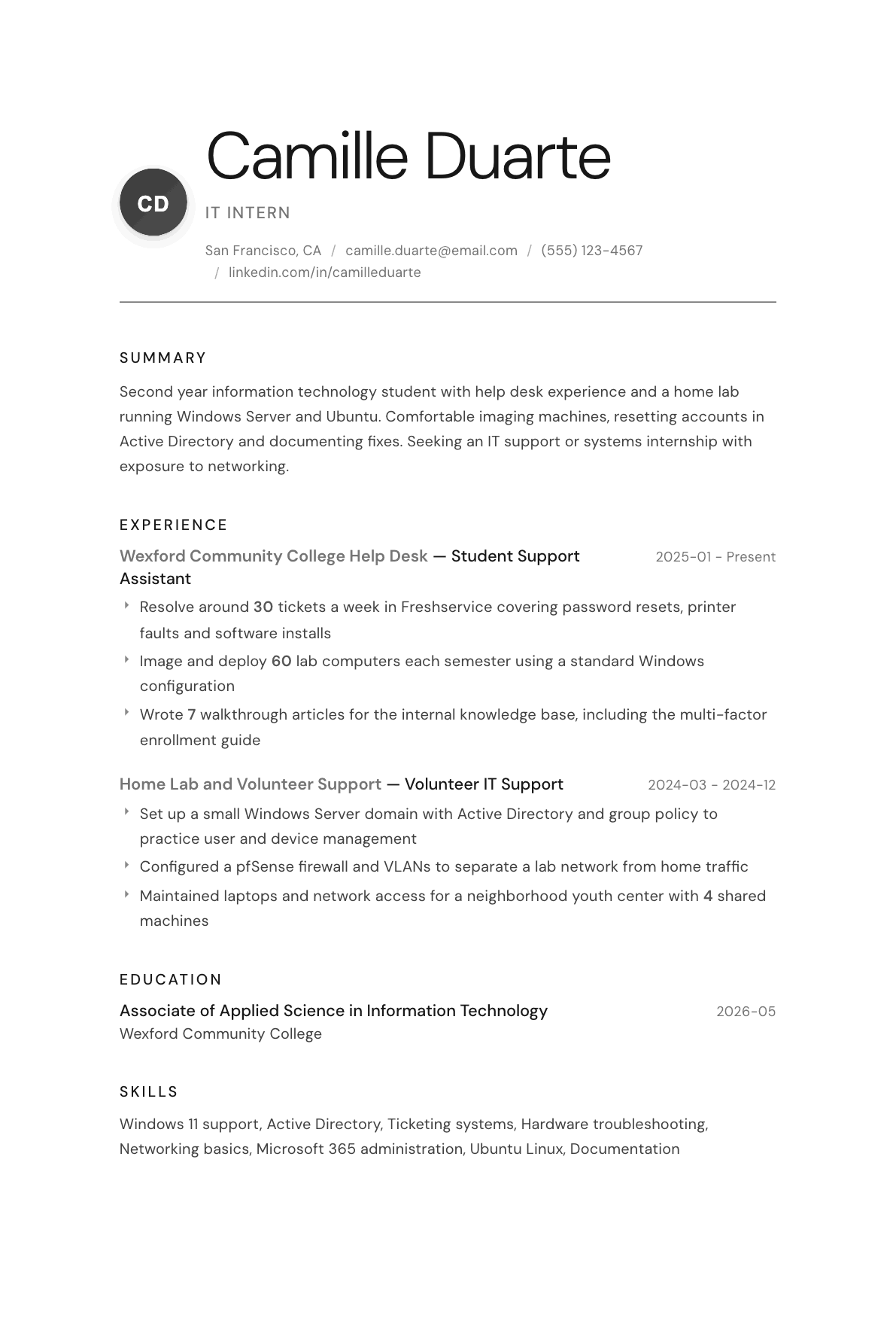
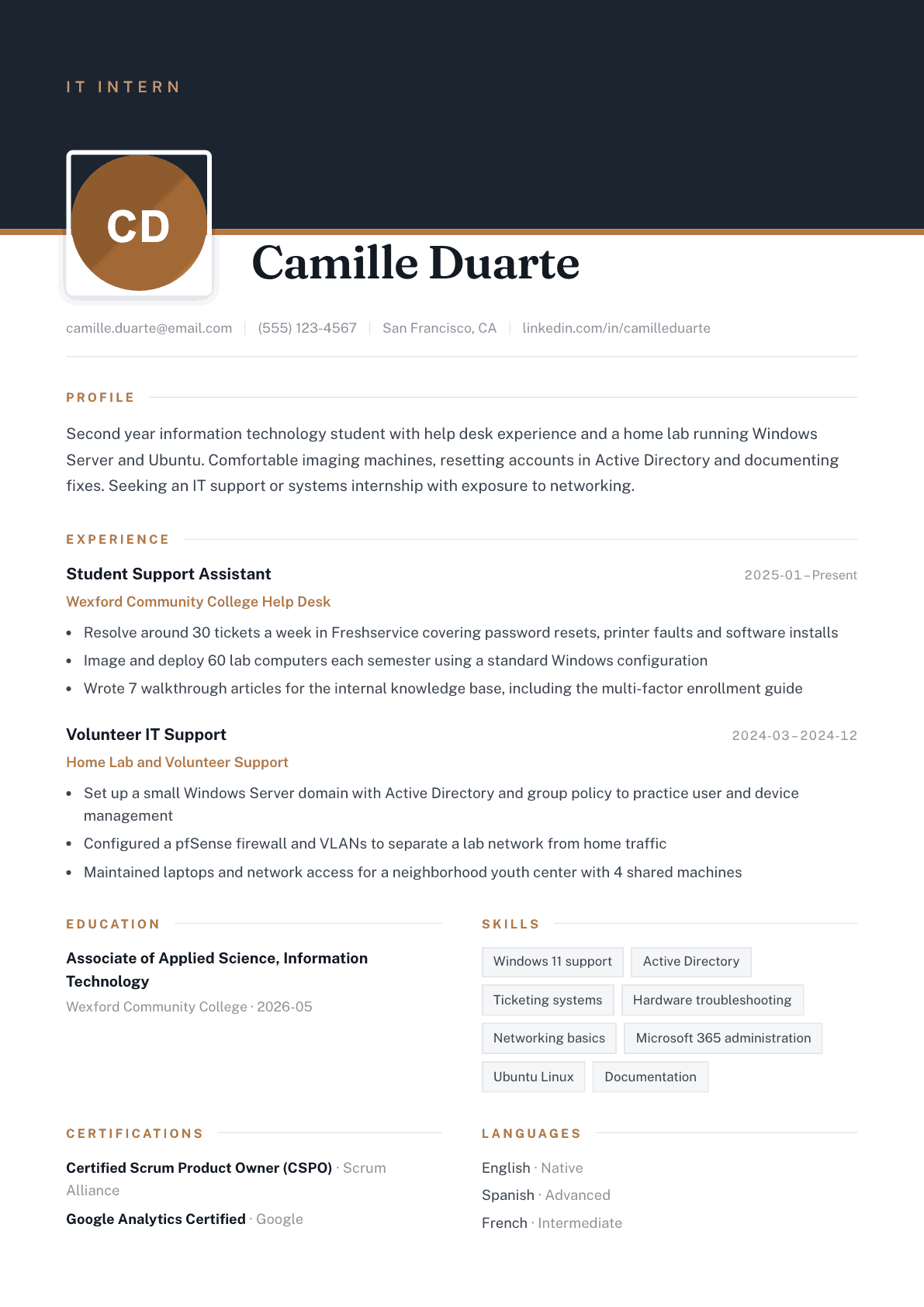
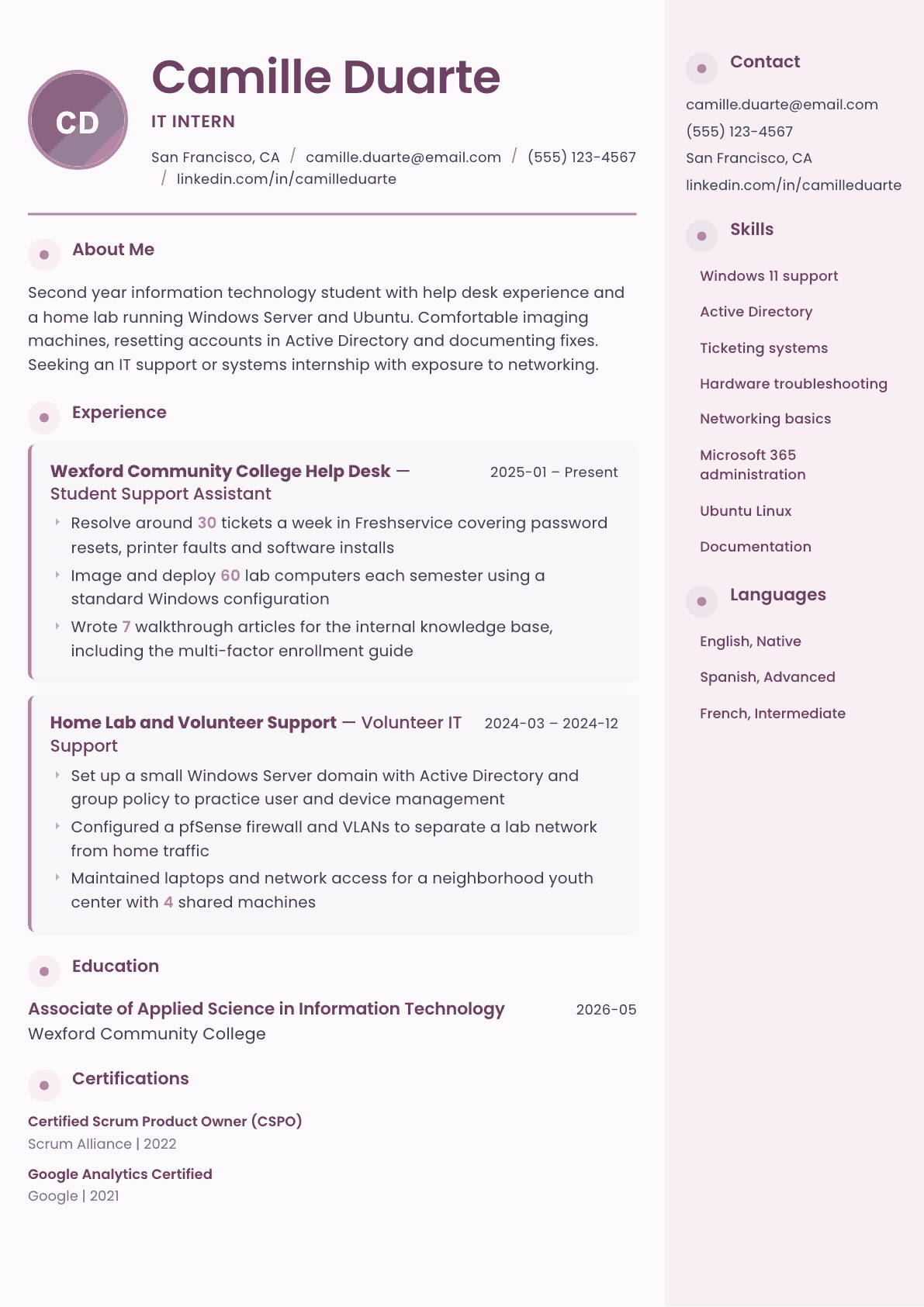
The same it intern content laid out in three CVBooster templates, so you can see what the finished document looks like before you write a word.
Example IT Intern summary
Second year information technology student with a year on a campus help desk and a home lab running Windows Server, Ubuntu and a pfSense firewall. Resolves around thirty tickets a week in Freshservice, images lab machines each semester, and writes the knowledge base articles the desk hands out. Studying for the CompTIA A+ exam and seeking an IT support internship with networking exposure.
Skills to list on a IT Intern resume
- Windows 11 support
- macOS support
- Active Directory
- Microsoft 365 administration
- Ticketing systems
- Hardware troubleshooting
- Software installation
- Networking fundamentals
- TCP/IP
- Ubuntu Linux
- Imaging and deployment
- Password and access management
- Technical documentation
- Customer service
- PowerShell basics
What actually gets this resume read
- Lead with education and expected graduation, then let a help desk job or lab work carry the experience section.
- Count what you have done, such as tickets handled per week or machines imaged, because volume proves real exposure.
- Describe your home lab as a project with an outcome, naming the operating systems, services and network setup.
- List any certification in progress with the exam name and target date, since intern postings reward the attempt.
- Use the vocabulary of the posting: Active Directory, Microsoft 365, imaging, ticketing, and the systems it names.
- Include customer-facing work outside IT briefly, because help desk hiring managers screen for patience under pressure.
How to write a it intern resume
An information technology internship resume is read quickly by a service desk manager or a systems lead who mostly wants to answer three questions. Has this person touched real equipment. Will she be patient with a frustrated user at four in the afternoon. Can she write down what she did so the next technician does not repeat it. Everything else is teachable, and a manager hiring interns knows it.
That changes what belongs on the page. A long list of technologies you have read about does nothing. A campus help desk job, a home lab with a domain controller and a firewall, a volunteer setup for a community group, or two hundred machines imaged over a summer all do a great deal, because each of them proves you have already been in the situation the internship will put you in.
This guide covers the section order, how to describe a help desk role and a home lab so they carry weight, how to handle certifications in progress, and the questions students ask when applying for their first technical support position.
Format: one page, education first, plain and parsable
One page, single column, standard fonts. Education leads with your school, program, and expected graduation month and year. Then experience, then a projects or home lab section, then technical skills, then certifications. Keep the whole thing scannable, because a service desk manager is reading it between tickets.
No graphics, no rating bars, no photograph. Submit a text-based PDF so the tracking system can read your dates and job titles. An intern application rejected for an unparsable file is the most avoidable failure in this whole process.
- Header: name, city, phone, email, LinkedIn.
- Order: education, experience, home lab and projects, technical skills, certifications.
- Include availability if you have it, such as the semester or the hours per week you can work.
Experience: counts, systems, and what you handled without help
Whatever support work you have done, quantify it. Tickets resolved per week, machines imaged per semester, accounts created, devices deployed, users supported. Volume is what proves the experience was real, and it is the detail almost every intern applicant forgets to include.
Name the systems by their actual names. The ticketing platform, the identity system, the productivity suite, the imaging tool, the remote support tool. A manager reading Freshservice, Active Directory, Microsoft 365 and a deployment tool recognizes an environment close enough to hers that you will be useful in week one.
Describe the categories of problem you solved rather than saying you provided support. Password and access issues, printer and driver faults, network connectivity, software installs, hardware replacement, mobile device enrollment. Then add one line about escalation: knowing when to hand a problem upward, and doing it with a clear description attached, is a genuine skill in a first support job.
Non-technical customer-facing work deserves a short entry. Retail, food service, tutoring and reception all build the composure that support work needs, and support managers screen for it deliberately because technical skill without patience produces bad tickets and worse survey scores.
- Quantify tickets, devices or users for every support role you have held.
- Name the ticketing system, the identity platform and the imaging tool.
- List the fault categories you handled, not the word support.
- Add one line on documentation or knowledge base contributions.
Home lab and projects: your substitute for a work history
A home lab is the strongest thing an information technology student can put on a page with no professional experience, and it is treated as real experience by most hiring managers because it takes real effort. Describe it like a project: what you built, what runs on it, and what you can now do that you could not before.
Be concrete about the services. A Windows Server domain with Active Directory and group policy, a Linux virtual machine running a web server, virtual local area networks separating lab traffic, a firewall you configured yourself, a backup routine you actually restored from once. Each of those is a conversation an interviewer can have with you, which is the entire point.
Volunteer technical work counts the same way. Setting up a network for a community center, recovering data for a neighbor, or maintaining laptops for a youth program are all real support incidents with real users, which is exactly what an internship is going to hand you.
- Name the operating systems, the services and the network setup.
- Say what problem the lab taught you to solve.
- Include volunteer technical support with the users and the equipment described.
Skills and certifications: honest, grouped, and current
Group technical skills into operating systems, identity and cloud administration, networking, and tools. Only list what you could demonstrate. An interviewer will ask what you do when a machine gets an address in the wrong range, or how you would reset a locked account, and the honest resume survives those questions comfortably.
List certifications in progress with the exam name and your target date. Intern hiring rewards visible effort, and a line saying you are studying for a foundational certification tells a manager you are serious about the field rather than filling a graduation requirement. Never list an exam as passed until it is.
Keywords these internship postings use
Support internship descriptions repeat a narrow set: help desk, technical support, troubleshooting, Active Directory, Microsoft 365, Windows, macOS, ticketing system, imaging and deployment, hardware support, networking fundamentals, TCP and IP, customer service and documentation. Mirror the true ones inside sentences describing your own work, and match the phrasing the posting uses for the ticketing and identity platforms it names.
IT Intern resume summary examples
First year student
First year information technology student building a home lab with a Windows Server domain and a Linux virtual machine. Comfortable replacing laptop components, reinstalling operating systems and helping family and neighbors with connectivity problems. Seeking a first support internship with exposure to ticketing and account administration.
Second year with help desk work
Second year information technology student with a year on a campus help desk, resolving around thirty tickets a week in Freshservice and imaging lab machines each semester. Runs a home lab with Active Directory, group policy and a configured firewall, and is studying for a foundational hardware certification.
Final year, prior internship
Final year information technology student with a completed support internship and two years on the campus service desk. Administers accounts in Active Directory and Microsoft 365, deploys images to lab computers each term, and wrote the multi-factor enrollment guide the desk still hands to new students.
Work experience bullets: before and after
Before: Provided technical support to students and staff.
After: Resolved around thirty tickets a week in Freshservice covering password resets, printer faults, network connectivity and software installations for students and staff.
Volume, the platform and the fault categories together prove real support exposure rather than a title.
Before: Set up computers in the labs.
After: Imaged and deployed sixty lab computers each semester using a standard Windows configuration, then verified network access and software licensing before handover.
A device count and the verification step show a repeatable process the candidate owned end to end.
Before: Built a home lab to learn IT.
After: Built a home lab with a Windows Server domain controller, group policy for user and device management, and a pfSense firewall separating lab traffic from the home network.
Named services and a real network design turn a hobby claim into something an interviewer can question in depth.
Before: Wrote some documentation.
After: Wrote seven walkthrough articles for the internal knowledge base, including the multi-factor enrollment guide the desk now hands to every new student.
A count and one specific article show the documentation was adopted rather than filed and forgotten.
Before: Helped a local nonprofit with their computers.
After: Maintained four shared laptops and the wireless network for a neighborhood youth center, handling updates, account setup and hardware repairs on a volunteer basis.
Naming the equipment and the recurring tasks makes the volunteering read as sustained support work.
Hard skills
- Windows desktop support
- macOS support
- Active Directory administration
- Microsoft 365 administration
- Ticketing systems
- Imaging and device deployment
- Hardware troubleshooting and repair
- Networking fundamentals and TCP and IP
- Linux basics
- Remote support tools
- PowerShell basics
- Technical documentation
Soft skills
- Patience with frustrated users
- Clear explanation for non-technical people
- Knowing when to escalate
- Following a ticket through to closure
- Reliability on a scheduled shift
Certifications worth listing
- CompTIA A+ (CompTIA)
- CompTIA Network+ (CompTIA)
- Microsoft Certified: Azure Fundamentals (Microsoft)
- Google IT Support Professional Certificate (Google)
- ITIL 4 Foundation (PeopleCert)
Mistakes that cost it intern candidates the interview
- Listing technologies read about in a textbook alongside ones actually used, with nothing to tell them apart.
- Describing support work without any counts, so a manager cannot tell one busy semester from occasional shifts.
- Hiding a home lab at the bottom of the page when it is often the strongest evidence available.
- Claiming a certification as held when the exam has not been taken, which ends the process the moment it is checked.
- Leaving off customer-facing jobs, even though support managers screen hard for composure with upset users.
- Submitting a designed resume as an image file that the applicant tracking system reads as an empty page.
IT Intern resume questions
What should an IT intern resume include with no professional experience?
Education with your expected graduation date, then any support or customer-facing job, then a home lab or volunteer technical work described in detail, then grouped technical skills. Hands-on evidence of any kind outranks a longer list of technologies you have only read about.
Does a home lab really count as experience?
Most support and systems managers treat it as real, because building a domain, configuring a firewall and recovering from your own mistakes teaches the same lessons the job does. Describe the services by name so an interviewer can ask specific questions about what you built.
Should I list certifications I am still studying for?
Yes, marked clearly as in progress with the exam name and your target date. It shows initiative, which counts heavily in intern hiring. Never present an unpassed exam as completed, since verification is routine and the discovery ends the application immediately.
Do I need the CompTIA A plus certification for an IT internship?
It is not usually required, but it is the most commonly recognized entry credential and it helps when your experience is thin. Practical work on a help desk or in a lab still carries more weight, so treat the certification as an addition rather than a substitute.
How do I write about customer service jobs on a technical resume?
Keep them short and translate them. Volume of customers handled, complaints resolved, cash or inventory responsibility, and any training you gave new staff. Support managers hire for temperament as much as technical ability, so this section earns its two lines.
Related resume examples
- IT Support Specialist Resume example
- Help Desk Technician Resume example
- Computer Science Student Resume example
- Intern Resume example
- Desktop Support Technician Resume example
- IT Specialist Resume example