IT Specialist Resume Examples: free ATS score and gap list
Information Technology Specialist Resume Sample, Written Out Line by Line
By Mustafa Tarabya, founder of CVBooster · Published · Updated
Create a professional IT specialist resume with CVBooster. Highlight system administration, troubleshooting skills, and the technical certifications recruiters seek.
Sample resumes for a it specialist
The same it specialist content laid out in three CVBooster templates, so you can see what the finished document looks like before you write a word.
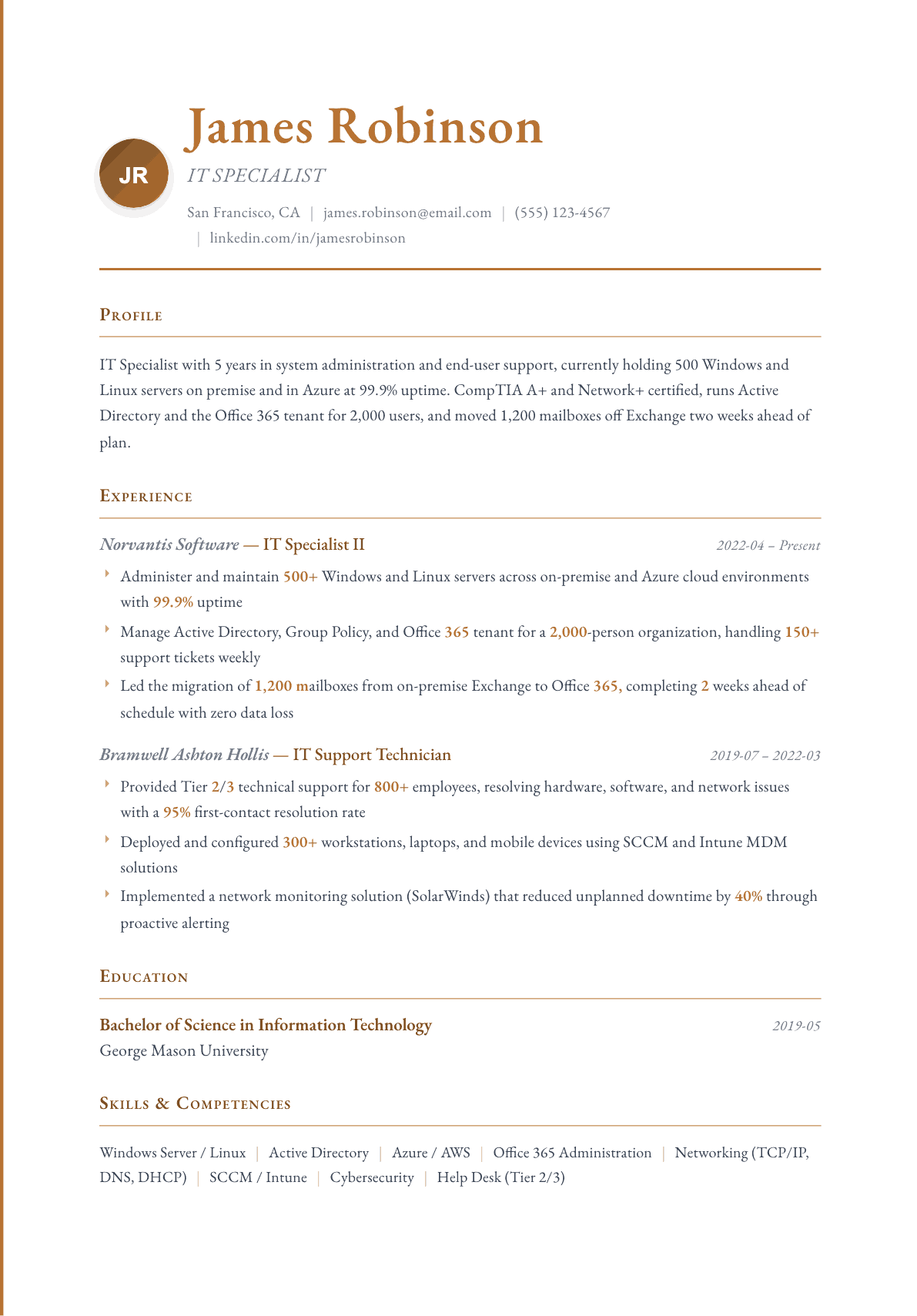
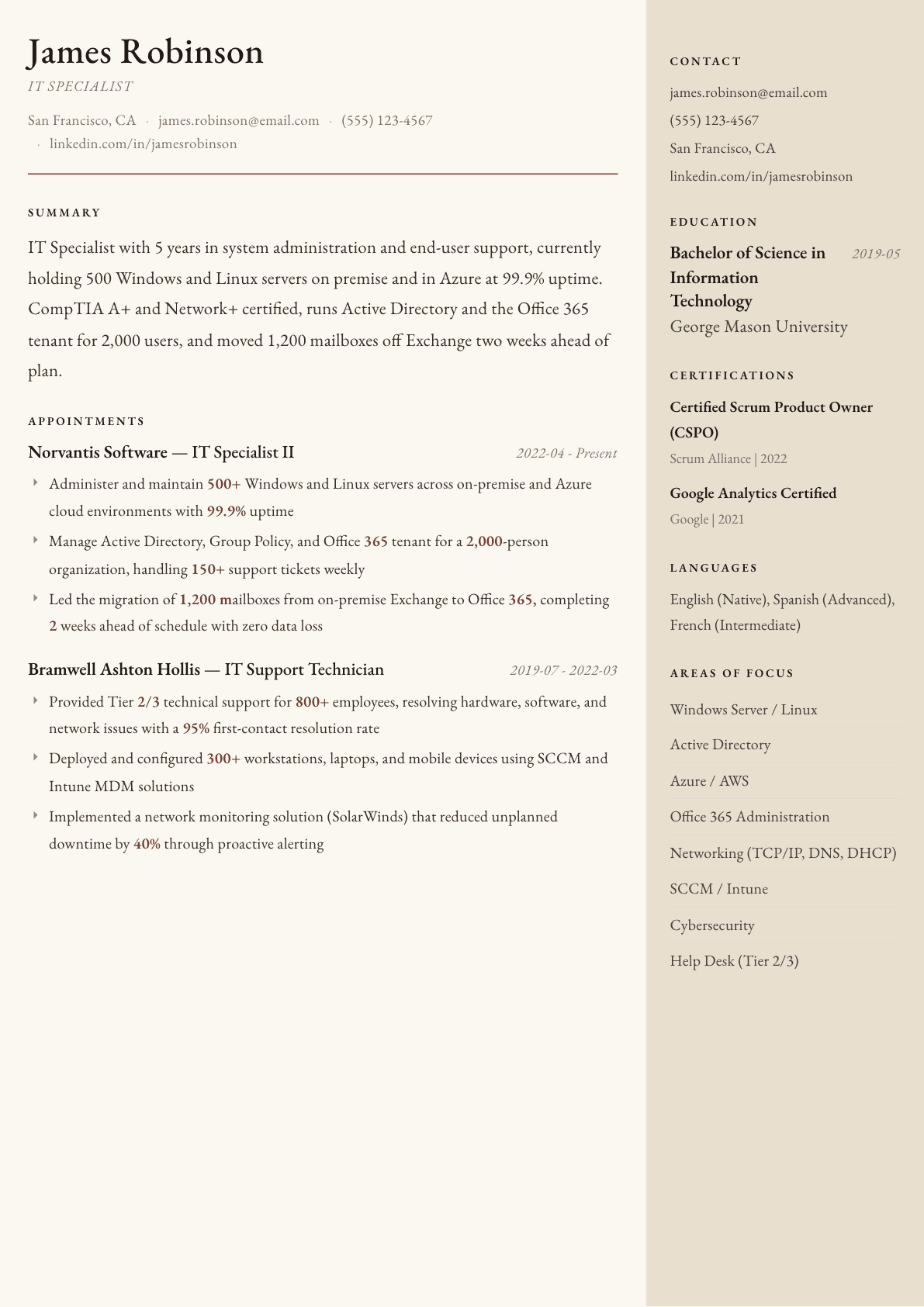
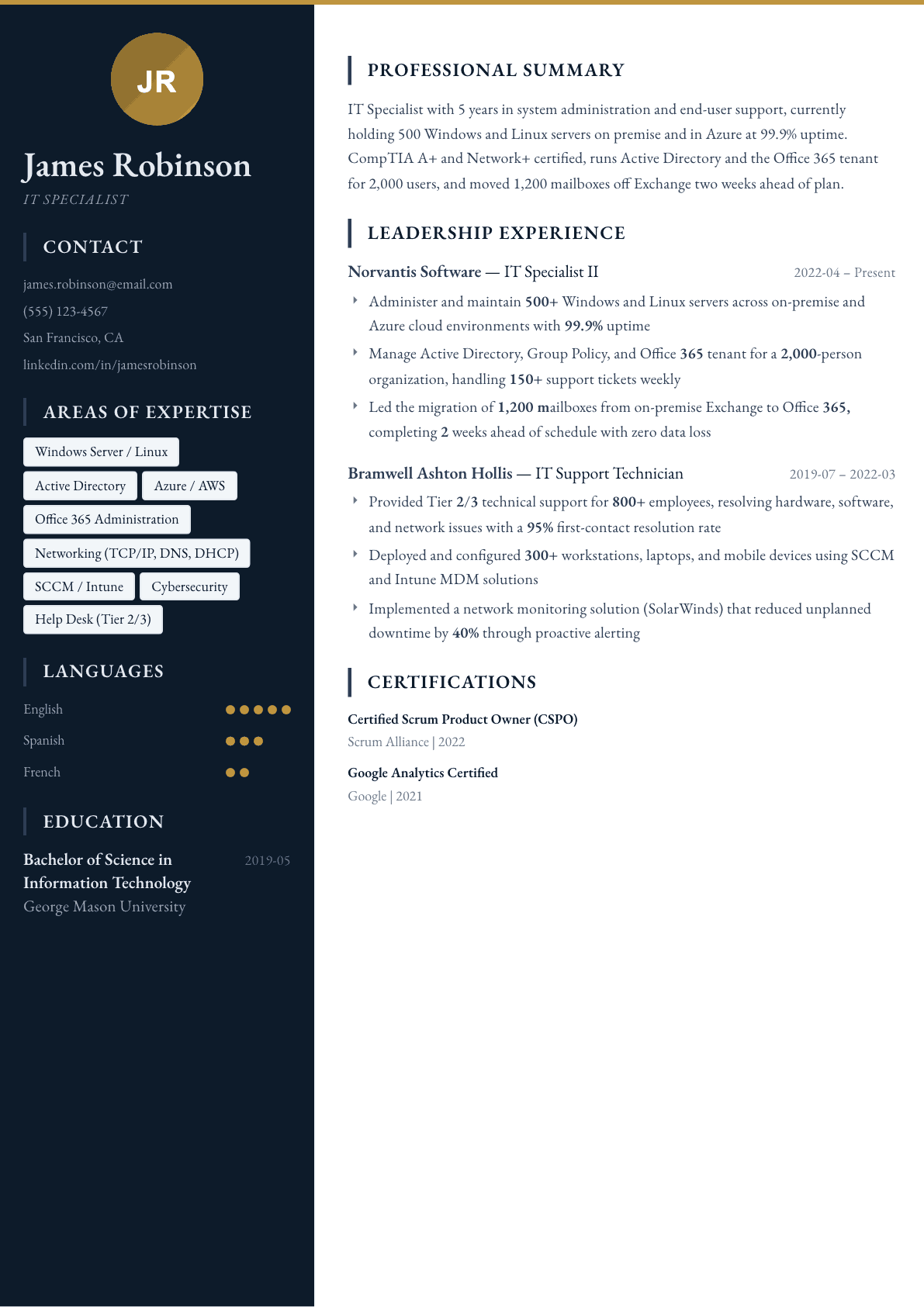
Example IT Specialist summary
IT specialist, 5 years, CompTIA A+ and Network+, running 500 servers and a 2,000-user Office 365 tenant at 99.9% uptime. Delivered a 1,200-mailbox migration with no data loss, deployed 300 devices through SCCM and Intune, and cut unplanned downtime 40% with SolarWinds alerting.
Skills to list on a IT Specialist resume
- Windows Server / Linux
- Active Directory & Group Policy
- Azure / AWS Cloud
- Office 365 Administration
- Networking (TCP/IP, DNS, DHCP)
- SCCM / Intune
- Cybersecurity & Patch Management
- Help Desk (Tier 2/3)
- SolarWinds / Nagios
- Virtualization (VMware / Hyper-V)
- Backup & Disaster Recovery
- CompTIA A+ / Network+
What actually gets this resume read
- List certifications prominently: CompTIA A+, Network+, Security+, Microsoft AZ-900/AZ-104, AWS Solutions Architect, or CCNA.
- Quantify your support scope: number of users, servers, or devices managed and ticket volumes handled weekly or monthly.
- Highlight uptime achievements and SLA compliance: 99.9% uptime, resolution times, or first-contact resolution rates.
- Showcase migration and deployment projects with specific scale (users migrated, devices deployed, timelines met).
- Include security experience: vulnerability assessments, patch management, firewall configuration, or incident response.
- Organize technical skills by category: operating systems, networking, cloud, security tools, and monitoring platforms.
How to write a it specialist resume
The IT specialist title covers a wide band of work, from desktop support and account administration through server, network and cloud administration. Because the title is broad, the hiring manager reading your resume is trying to place you on that band within a few seconds. The resumes that fail are the ones that describe general responsibility for IT and leave her guessing which half of the band you belong to.
What she is really checking is scope and autonomy. How many users and devices did you support, what did you administer without supervision, what did you escalate, and what did you automate so it stopped coming back. Two candidates can both write that they provided technical support, and one of them ran a two hundred person site alone while the other passed tickets to a senior colleague.
This guide covers an information technology specialist resume sample written out line by line, the section order that works for support and administration roles, how to write about ticket work so it does not read as button pressing, three summaries covering a help desk start through a senior specialist, before and after bullets, and the certification question that decides many of these hires.
Format: one page for most, two once you have administered production
Reverse chronological, single column, plain fonts. Employers in this space filter hard on certification and platform names, and column layouts and icons cause parsers to drop exactly those. Stay on one page until you have several years of administration rather than support work.
Put certifications high, immediately under the summary. This is one of the few technical roles where a screener genuinely uses credentials as a first filter, because they map directly to the platforms in the environment.
- Header: name, city, email, and phone, since these teams often call before emailing.
- Order: summary, certifications, technical skills by category, experience, education.
- Career changers put a home lab or a certification study project in a projects section and describe what they built, not what they read.
Summary: environment, scope, and the level you operate at
Three lines. Name the environment you support, the number of users and devices, and the systems you administer rather than only troubleshoot. Say whether you work at first, second or third line, because that single word sets the reader's expectation correctly and avoids being screened out for the wrong reason.
Add one specialism if you have it: identity and directory administration, endpoint management, networking, backup and recovery, or cloud tenant administration. A specialist with a named strength is easier to hire than a generalist who lists everything at the same weight.
Experience: numbers exist in this job, so use them
Support and administration work is unusually measurable and most resumes waste it. State the supported population in users, sites and devices; the ticket volume you handled weekly; first-contact resolution; how long a standard build or an onboarding takes; how many servers, virtual machines or tenants you administer; and the size of the team you sit in.
Separate the routine from the projects. Routine work belongs in one or two bullets about scope and service levels. The rest of the space goes to projects: an operating system upgrade across a fleet, a migration to cloud identity, a backup rebuild, a network refresh, a move to a new device management platform, or an office relocation. Projects are what promote a support resume into a specialist resume.
Automation is the strongest single signal available here. A PowerShell script that provisions accounts, a scheduled task that clears the recurring fault, a deployment package that removes a manual build, or a self-service form that ends a class of ticket. Say what it replaced and roughly how much time it returned.
Security, compliance and the operational habits managers value
Security work belongs on an IT specialist resume even when it was not your title. Patch management cadence, endpoint protection, multi-factor rollout, privileged account handling, phishing response, disk encryption, and the offboarding process that actually removes access are all things managers worry about and rarely see described.
Documentation and process count too. Writing knowledge base articles the service desk uses, keeping the asset register accurate, following change control before touching production, and running a tested restore rather than assuming backups work are the habits that distinguish a specialist from a fixer.
- Name the ticketing system you worked in, such as ServiceNow, Jira Service Management, Freshservice or Zendesk.
- State service level targets and whether you met them, rather than describing tickets as resolved promptly.
- Mention hardware lifecycle work: procurement, imaging, deployment, refresh cycles and disposal.
Information technology specialist resume sample, with the keywords in place
These postings repeat a consistent vocabulary: Windows Server, Active Directory, Microsoft 365, Azure or AWS, Linux, networking with TCP/IP and DNS and DHCP, VPN, endpoint management with Intune or a comparable tool, virtualization with VMware or Hyper-V, backup and recovery, ticketing, and the certification names. Group your technical skills by category so both a parser and a manager find them fast, and mirror the posting wording inside at least one experience bullet where it sits on real work.
Here is how that looks on a page written out for an invented second line specialist, Tomas Herrera, so you can see the posting vocabulary sitting on real work instead of in a block of its own.
- Header: Tomas Herrera, IT Specialist, Raleigh, NC, phone, email. CompTIA Security+, Microsoft 365 Certified: Endpoint Administrator Associate.
- Summary: Second line IT specialist for a 350-user professional services firm across three offices. Administers Active Directory, Microsoft 365 and Intune, and owns backup and recovery for the file and finance servers.
- Technical skills by category: Identity (Active Directory, Entra ID), Endpoint (Intune, Windows 11 imaging), Infrastructure (Windows Server, Hyper-V, VPN, DNS and DHCP), Service (ServiceNow, knowledge base writing).
- Experience bullet: Moved all three offices from on premises file shares to SharePoint with no lost working day, writing the user guides the service desk still uses.
- Experience bullet: Wrote a PowerShell onboarding script that creates the account, licenses and groups in one run, ending a manual checklist the desk completed for every new hire.
- Experience bullet: Rebuilt the backup schedule and ran the firm's first tested restore of the finance server, then documented it as a quarterly task.
IT Specialist resume summary examples
Help desk to specialist
IT support technician with two years on a first line desk handling about 60 tickets a week for 400 users, resolving most at first contact. CompTIA A+ certified, comfortable with Active Directory account administration, Microsoft 365 support and imaging devices for new starters.
Five years in
IT specialist supporting 900 users across three sites, administering Windows Server, Active Directory, Microsoft 365 and Intune with second and third line ownership. Automated onboarding with PowerShell, cutting a new starter build from two hours to twenty minutes, and holds Network+ and an Azure administrator certification.
Senior IT specialist
Senior IT specialist with nine years running the infrastructure for a manufacturing group of 1,500 staff across five sites, covering servers, network, backup and cloud identity. Leads two technicians, owns change control and the tested restore process, and delivered a full endpoint management migration without downtime.
Work experience bullets: before and after
Before: Provided technical support to end users.
After: Supported 700 users across two sites as second line, handling around 45 tickets a week in ServiceNow with first-contact resolution above 70% and meeting the four-hour response target on priority incidents.
Population, ticket volume, tool and a service level target replace a phrase that describes the entire profession.
Before: Managed Active Directory accounts.
After: Administered Active Directory for 900 accounts, redesigned group policy into a tiered structure by department, and rewrote offboarding so access, licenses and mailbox handling completed on the leaving date rather than days later.
A structural change and a closed security gap show administration rather than routine account maintenance.
Before: Helped with a Windows upgrade project.
After: Deployed a Windows feature upgrade to 600 devices in phased rings over six weeks, piloting with a test group, remediating three incompatible applications and completing with no unplanned downtime.
Ring deployment, application remediation and the device count describe a controlled rollout instead of participation.
Before: Responsible for backups.
After: Rebuilt the backup schedule across twelve servers with offsite copies, and ran quarterly restore tests that found a failing database job nobody had noticed because the backups were reporting success.
A tested restore that exposed a silent failure is exactly the evidence an IT manager wants and almost never sees.
Before: Improved IT processes.
After: Wrote PowerShell scripts to create accounts, assign licenses and enroll devices from a single form, removing about eight hours of manual work each week and ending the mismatched permissions on new starters.
Naming the manual work removed and the recurring error it fixed turns process improvement into a measurable result.
Hard skills
- Windows Server administration
- Active Directory and group policy
- Microsoft 365 administration
- Microsoft Intune and endpoint management
- Azure or AWS administration
- Linux server basics
- Networking with TCP/IP, DNS and DHCP
- VPN and firewall configuration
- VMware or Hyper-V virtualization
- Backup and disaster recovery
- PowerShell scripting
- Ticketing systems and service level management
- Hardware imaging and deployment
- Patch and vulnerability management
Soft skills
- Explaining technical issues to non-technical staff
- Prioritizing under a full queue
- Patience with repeat callers
- Documentation discipline
- Escalation judgment
- Working with vendors
Certifications worth listing
- CompTIA A+ (CompTIA)
- CompTIA Network+ (CompTIA)
- CompTIA Security+ (CompTIA)
- Microsoft Certified: Azure Fundamentals (Microsoft)
- Microsoft Certified: Azure Administrator Associate (Microsoft)
- Microsoft 365 Certified: Endpoint Administrator Associate (Microsoft)
- Cisco Certified Network Associate (CCNA) (Cisco)
- ITIL 4 Foundation (PeopleCert)
Mistakes that cost it specialist candidates the interview
- Writing provided technical support with no user count, device count or ticket volume, which gives the reader nothing to judge.
- Listing every technology in the building rather than separating what you administered from what you occasionally touched.
- Filling the page with routine duties and leaving out the migration, refresh or rollout projects that would raise your level.
- Ignoring automation entirely, when a few scripts that removed repeat work are the clearest evidence of a specialist mindset.
- Burying certifications at the bottom, in one of the few technical roles where a screener uses them as a genuine first filter.
- Never mentioning security or change control, which makes an experienced administrator read like an unsupervised improviser.
IT Specialist resume questions
Which certification should an IT specialist get first?
CompTIA A+ if you are starting, then Network+ or Security+ depending on direction. Once you are administering systems, a vendor certification on the platform you actually run, such as Microsoft or Cisco, does more for your applications.
How do I move from help desk to IT specialist?
Shift the resume from tickets closed to systems administered. One project you owned, such as a device rollout or a backup rebuild, plus a script that removed recurring work, changes how the whole page is read.
Does a home lab count as experience?
It counts as evidence, not as employment. Put it in a projects section, name what you built and what broke, and describe the troubleshooting. Reviewers hiring at entry level do take a well-described lab seriously.
What should an information technology specialist resume sample include?
A summary naming the environment, user count and support line, certifications right under it, technical skills grouped by category, then experience bullets about projects and automation rather than routine tickets. Soft skills are proved inside those bullets, for example by the documentation the rest of the desk uses.
How long should an IT specialist resume be?
One page while you are mainly in support, two once you administer servers, networks or cloud tenants and have projects worth describing. Anything longer usually means routine duties are being repeated across several roles.
Related resume examples
- Software Engineer Resume example
- Data Scientist Resume example
- UX Designer Resume example
- System Administrator Resume example
- IT Intern Resume example
- IT Manager Resume example