Computer Repair Technician Resume Examples: free score
Write a Computer Repair Technician Resume That Wins the Bench
By Mustafa Tarabya, founder of CVBooster · Published · Updated
Computer repair technician resume example, keyword list and guide covering hardware diagnosis, imaging, ticket volume and CompTIA A+ placement.
Sample resumes for a computer repair technician
The same computer repair technician content laid out in three CVBooster templates, so you can see what the finished document looks like before you write a word.
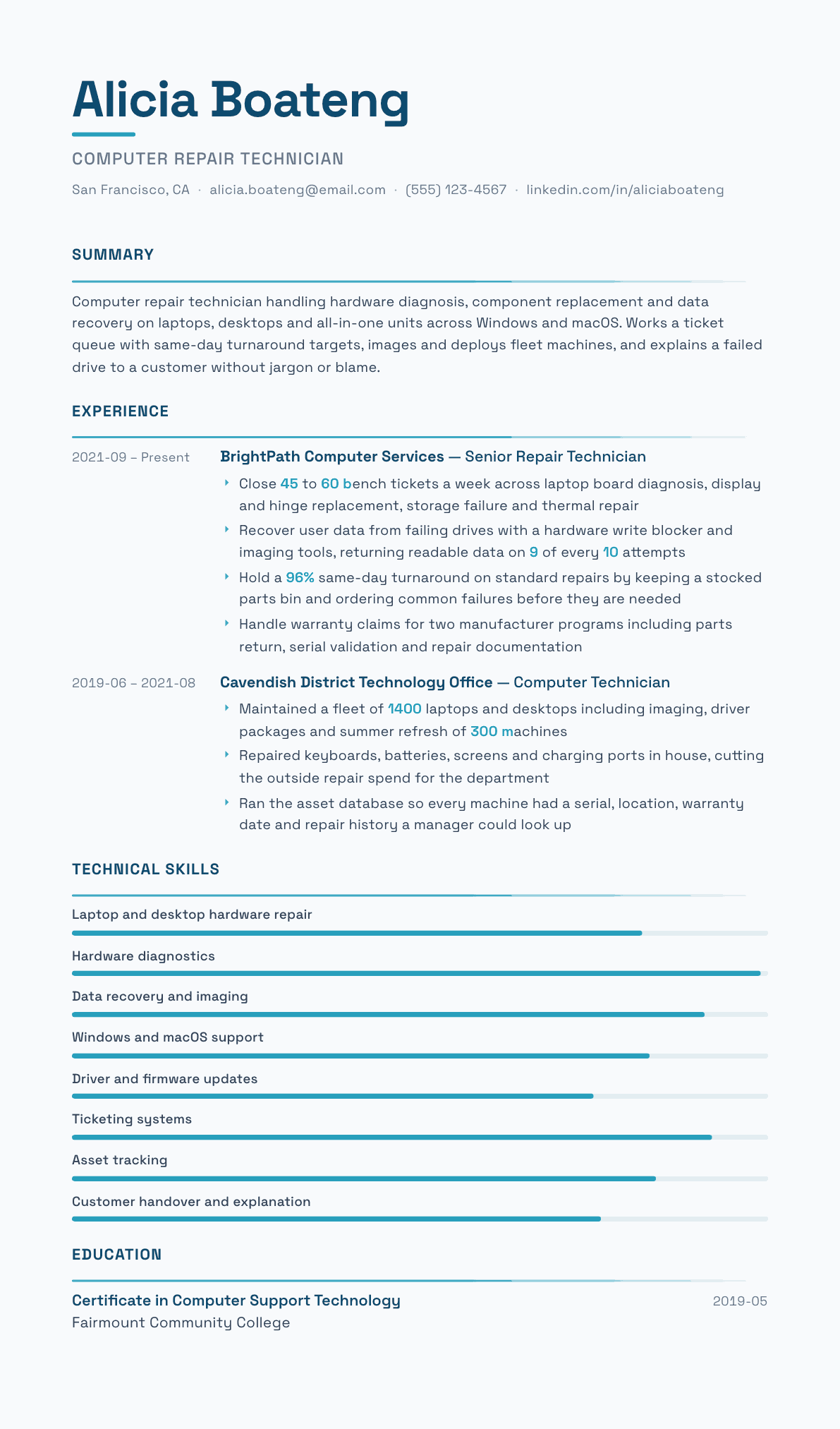
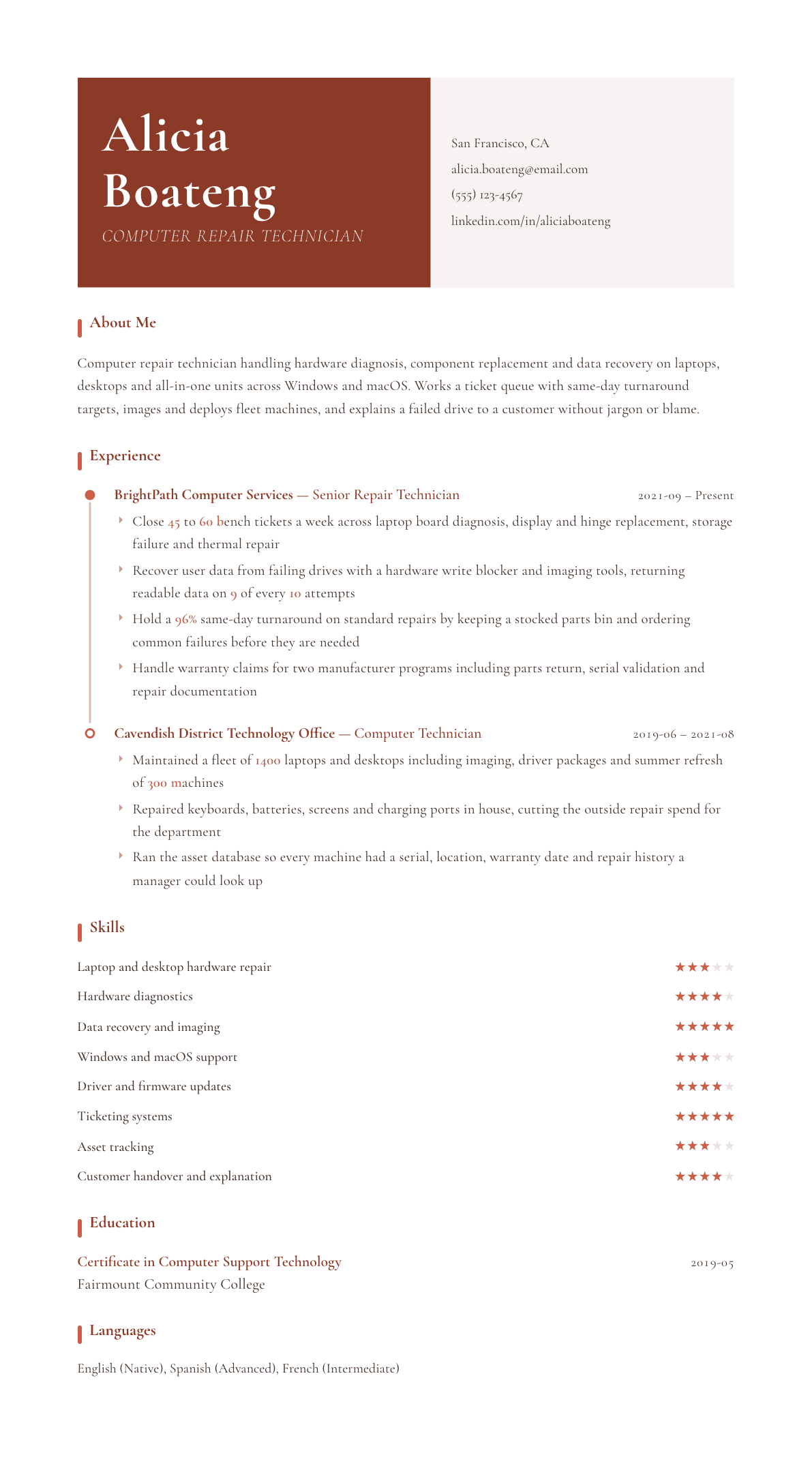
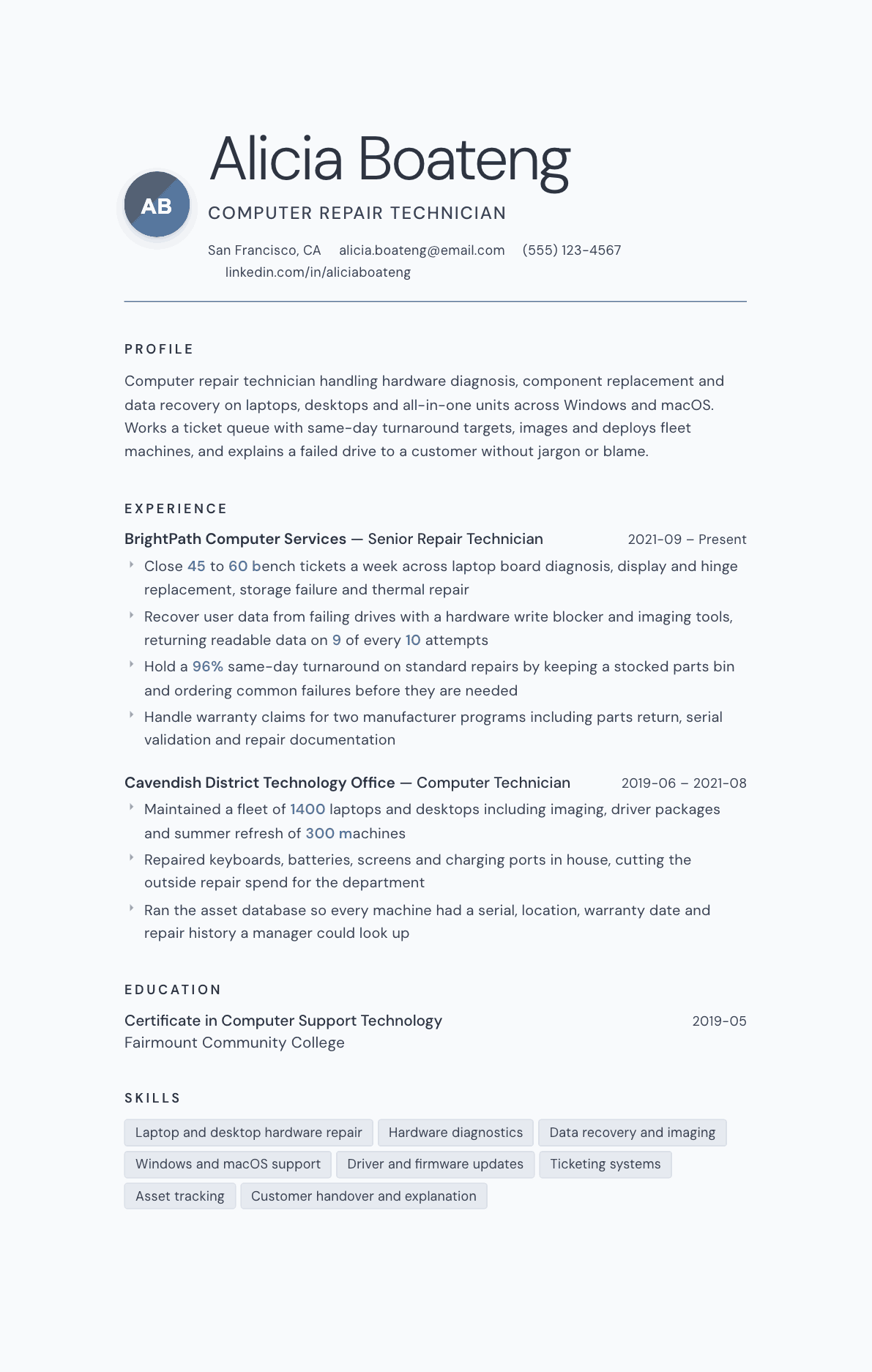
Example Computer Repair Technician summary
Computer repair technician closing a full bench queue across laptop and desktop hardware diagnosis, storage failure, display replacement and thermal work on Windows and macOS. Recovers user data with a hardware write blocker, holds a same-day turnaround target on standard repairs, and documents warranty claims for two manufacturer programs. Explains what failed and what it costs before touching the machine.
Skills to list on a Computer Repair Technician resume
- Laptop and desktop hardware repair
- Component and board level diagnosis
- Display, hinge and keyboard replacement
- Storage failure diagnosis
- Data recovery with write blockers
- Disk imaging and cloning
- Windows deployment and drivers
- macOS support and recovery
- Malware removal and cleanup
- Thermal paste and cooling repair
- Power and charging circuit checks
- Ticketing and queue management
- Warranty claim documentation
- Asset and inventory tracking
- Customer communication
- Network and peripheral setup
What actually gets this resume read
- Put CompTIA A+ in the header line rather than burying it under education, because screeners look there first.
- Give ticket volume and turnaround, since a bench manager staffs the queue by numbers, not by adjectives.
- Separate component level board work from part swapping, because shops pay differently for the two.
- Name the operating systems and imaging tools you deploy with, not just the hardware you open.
- Show your data recovery approach including write blockers and customer consent, which builds trust fast.
- Add warranty program experience, since authorized shops need someone who can document a claim correctly.
- Describe how you explain a failure to a nontechnical owner, because that is half of a retail repair job.
How to write a computer repair technician resume
A shop owner or bench lead hiring a computer repair technician is buying two things at once: hands that can open a machine without breaking clips, and a manner that keeps a worried customer calm while you explain that their drive is failing. Most applicants prove neither on paper. They write a list of operating systems and hope the rest is assumed.
The bench is a queue, and queues are managed by numbers. Tickets closed, turnaround time, callback rate, parts cost per repair, data recovery success. A technician who puts those on the page is speaking the language the person hiring already uses every Monday morning. Everything else on the resume is supporting evidence.
This guide covers what a bench manager, a school technology lead or an internal support manager reads first, with summaries for a new technician, a working bench technician and a lead, before and after bullets from real repairs, and answers to the questions technicians ask when they move between retail shops, schools and corporate support.
Format: certification visible, queue numbers close behind
One page, reverse chronological, plain layout. CompTIA A+ goes in the header line beside your name, not buried under education, because it is the single credential most postings screen on and a hiring manager should see it in the first second.
Under the header, write three or four lines that describe your bench rather than your personality. Platforms supported, repair types you handle, the ticketing system you work in, and your turnaround target. That block does the job an objective statement pretends to do, and it does it with facts a manager can verify.
- Header: name, CompTIA A+ or equivalent certification, city and state, phone, email.
- Bench profile: hardware platforms, operating systems, repair categories, ticketing and asset systems, turnaround target.
- Each job names the setting first: retail repair shop, authorized service center, school district technology office, corporate helpdesk bench, or field route.
- New technicians lead with certification, any lab or personal build experience, and volunteer or side repair work with real numbers attached.
Summary: platforms, volume, turnaround, customer handling
Three lines covering four facts: what hardware you repair, how much of it you close a week, how fast, and how you handle the customer at handover. Volume and turnaround are what a bench manager staffs against, and customer handling is what he fields complaints about.
If your experience is fleet work rather than retail, say so, because they are different jobs. Fleet technicians image, deploy, track assets and repair in batches with parts on hand. Retail technicians quote, diagnose unknown machines, handle data anxiety and collect payment. A manager needs to know which muscle you have built.
Experience: repairs by category, with the numbers attached
Open each job with queue size and scope. Forty-five to sixty bench tickets a week across laptop diagnosis, display replacement, storage failure and thermal work is a picture of a working bench. Provided technical support to customers is not, and it appears on almost every resume in the pile.
Break the repair work into categories a manager recognizes: hardware diagnosis, display and hinge assemblies, keyboards and palmrests, storage and data, power and charging, thermal service, and board level work if you do it. Then attach a number or a standard to each: turnaround, success rate, parts cost, or the diagnostic method you follow before you order anything.
Data work deserves its own bullet. Recovery attempts, imaging with a hardware write blocker, how you obtain consent, and what you do when a drive is failing rather than failed. Nothing on a computer repair resume builds trust faster, because losing a customer's photos is the failure a shop owner remembers for years.
- Give weekly ticket volume and the share closed same day or next day.
- Name the ticketing, remote support and imaging tools you use by product family.
- Show warranty program work if you have it, including parts return, serial validation and repair documentation.
- Include the asset or inventory system you maintained and the fleet size behind it.
The customer half of the job
Half of a retail repair role is the conversation at the counter. The quote before work starts, the call when the repair grows, the explanation when a machine is not worth fixing, and the handover that stops a return visit. Write those moments as procedures rather than personality traits.
The strongest version of this on a resume is a routine. Intake questions asked before the machine is opened. A written estimate the customer approves. A backup reminder and a signed consent for data work. A function test list run in front of the customer at pickup. A shop owner reading that knows his complaint volume will fall.
Skills and keywords a repair posting filters on
Postings recycle a compact set: hardware diagnostics, laptop repair, motherboard, storage, SSD upgrade, imaging, deployment, driver installation, malware removal, data recovery, ticketing, asset management, warranty, remote support. Mirror the exact words in your skills block and once inside a bullet where the work is visible.
Keep operating systems honest and specific. Say which Windows deployment tools you use, whether you support macOS recovery and firmware passwords, and whether Linux appears in your work or only in your hobby. A school district running one imaging platform will filter for it by name, and a vague operating system list survives no filter at all.
Computer Repair Technician resume summary examples
New technician
CompTIA A+ certified technician with hands-on experience building and repairing desktops and laptops, including storage upgrades, thermal service and Windows reinstallation. Completed 6 months of volunteer refurbishment work returning 80 donated machines to service. Seeking a bench technician seat in a retail or district repair shop.
Three years on the bench
Computer repair technician closing 45 to 60 tickets a week across laptop hardware diagnosis, display and hinge replacement, storage failure and thermal repair on Windows and macOS. Recovers user data with a hardware write blocker, holds a 96% same-day turnaround on standard repairs, and documents manufacturer warranty claims.
Bench lead
Bench lead with 8 years across a retail repair shop and a district technology office. Owns the parts ordering strategy, warranty documentation and the asset database for 1400 machines, handles board level and data recovery escalations, and trains 3 technicians on intake, quoting and function testing before handover.
Work experience bullets: before and after
Before: Repaired laptops and desktops for customers.
After: Closed 45 to 60 bench tickets a week across laptop board diagnosis, display and hinge replacement, storage failure, charging faults and thermal repair on Windows and macOS hardware.
The volume and the repair categories let a bench manager see the queue you can actually carry.
Before: Recovered data from broken hard drives.
After: Recovered user data from failing drives using a hardware write blocker and imaging tools, returning readable data on 9 of every 10 attempts after written customer consent.
Method, success rate and consent turn a risky claim into evidence of a controlled, trustworthy process.
Before: Imaged and deployed computers for the school.
After: Maintained a fleet of 1400 laptops and desktops including image builds, driver packages and a summer refresh cycle that rebuilt and redeployed 300 machines before term started.
Fleet size, the deployment work and the deadline show scale and planning rather than routine imaging.
Before: Kept turnaround times low.
After: Held a 96% same-day turnaround on standard repairs by keeping a stocked parts bin for the top failure types and ordering common components before they were requested.
A stated rate plus the mechanism behind it shows the result was designed, not lucky.
Before: Provided good customer service at the counter.
After: Ran a fixed intake routine covering symptom questions, backup reminders and a written estimate before any machine was opened, which cut disputed repairs to near none.
A described procedure with an outcome is checkable, unlike a claim about service quality.
Hard skills
- Laptop and desktop hardware diagnosis
- Display, hinge and keyboard assembly replacement
- Storage failure diagnosis and drive replacement
- Data recovery with hardware write blockers
- Disk imaging, cloning and deployment
- Windows installation, drivers and firmware updates
- macOS support, recovery mode and firmware passwords
- Malware removal and system cleanup
- Thermal service and cooling repair
- Power and charging circuit testing
- Ticketing and queue management systems
- Warranty claim documentation
- Asset and inventory tracking
- Network and peripheral configuration
Soft skills
- Delivering bad news about a failed drive without panic
- Quoting honestly when a repair is not worth the money
- Working a visible queue without rushing a delicate job
- Keeping a customer updated when a part is delayed
- Handing over a machine with a function test the owner watches
Certifications worth listing
- CompTIA A+ (CompTIA)
- CompTIA Network+ (CompTIA)
- Apple Certified Macintosh Technician (Apple)
- Microsoft 365 Certified: Endpoint Administrator Associate (Microsoft)
Mistakes that cost computer repair technician candidates the interview
- Listing operating systems and hardware brands with no ticket volume or turnaround figure anywhere on the page.
- Hiding CompTIA A+ under education when it is the credential most postings filter on first.
- Writing customer service as a personality trait instead of describing the intake, quoting and handover routine.
- Blurring fleet imaging work with retail repair, when managers hire for one or the other.
- Skipping data recovery entirely, which is the work that earns a shop the most trust and the most repeat business.
- Claiming board level repair without naming the tooling, the microscope or a single fault you traced on a board.
Computer Repair Technician resume questions
Is CompTIA A+ enough to get a computer repair job?
It gets you past most screens, but it will not win the interview by itself. Pair it with evidence of real repairs: machines you have fixed, faults you have diagnosed, and any volume you can honestly claim from volunteer, side or refurbishment work. Certification opens the door and repair stories walk through it.
How do I get bench experience with no paid history?
Refurbishment work counts, and so do repairs for a community center, a school club or a local nonprofit. Track what you did: how many machines, what failed, what you replaced, how many returned to service. Presented with numbers, unpaid work reads on the page much like paid bench work does.
Should I mention board level repair if I only do it occasionally?
Only if you can describe how. Name the microscope and hot air station you use, the faults you have traced such as charging or backlight circuits, and your success rate. Occasional board work described precisely is credible, while a bare mention invites a question you cannot answer.
How different is a school district resume from a retail shop resume?
Considerably. Districts want imaging, deployment, asset accuracy, summer refresh planning and a repair cost per device. Shops want diagnosis of unknown machines, quoting, turnaround and counter handling. Keep both versions and lead each with the numbers that manager reports upward.
What should I do about the gap between repair work and IT support roles?
Name the overlap explicitly. Ticketing discipline, hardware diagnosis, imaging, drivers, account and network setup all appear in both. Then add whatever support-side experience you have, such as remote sessions or user account work, and say plainly that you are moving toward support rather than leaving repair behind.
Related resume examples
- IT Support Specialist Resume example
- Help Desk Technician Resume example
- Cell Phone Repair Technician Resume example
- Electronics Technician Resume example
- Appliance Repair Technician Resume example
- Fleet Mechanic Resume example